






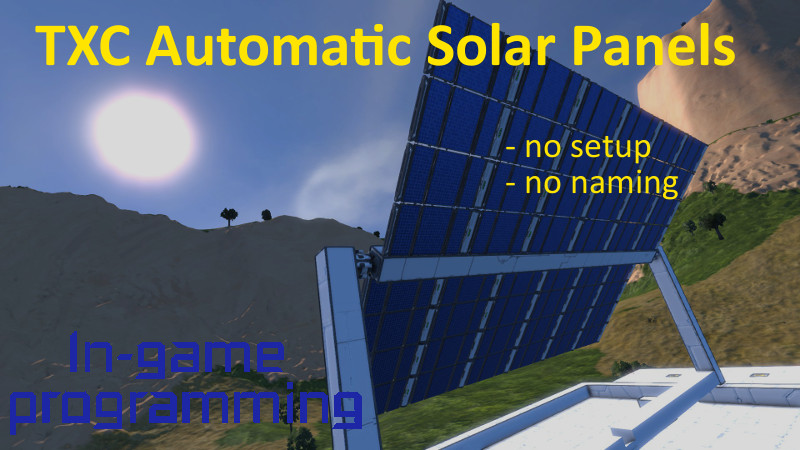
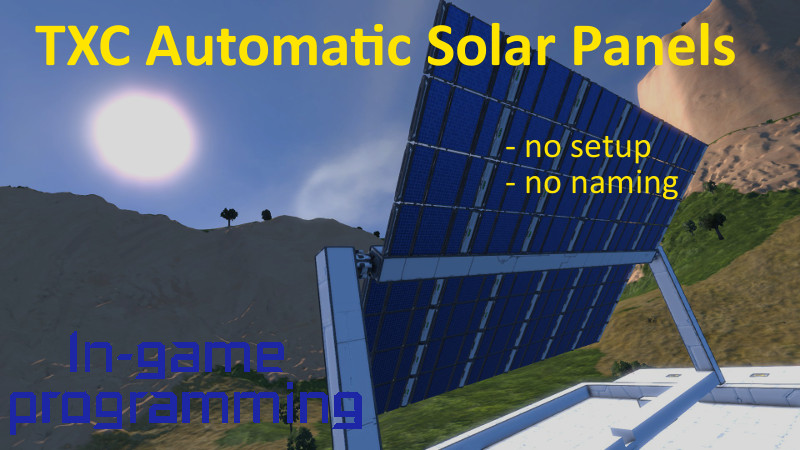
About TXC Automatic Solar Panels
From Steam WorkshopTXC Automatic Solar Panels No setup, no naming, just maximizing solar power by aligning solar panels. Now even self-triggered! Usage: Just put the script in a programmable block. One PB is enough to…
TXC Automatic Solar Panels
No setup, no naming, just maximizing solar power by aligning solar panels. Now even self-triggered!
Usage:
Just put the script in a programmable block. One PB is enough to handle all panels. As you add new panels with time or change them, just use the 'recompile' button or 'init' as argument to scan the grid again. Keep in mind: Any construction which matches one panel type will be treated like one, if you don’t want this please use the ‘EXCLUDESTRING’ (read below). Furthermore, rotor limits are not supported at the moment. Also modded panels are not supported, maybe in the future.
Arguments
- 'init': scans the panel again and resets their states
- 'start': starts the aligning again (e.g. after stop)
- 'stop': stops the aligning
- 'break X Y': toggles aligning of panels for X seconds after a break of Y seconds. To be used as argument of the timer block. Also keep an eye on your optional cooldown settings! Example: 'break 110 10' will pause aligning for 10 s after 110 s.
If you don’t know how to use a script, follow these short instructions please.
- Build a programmable block (PB) like in the pictures above. (If you want name it, e.g. PB Solar or similar.)
- Press ‘Edit’ on your PB, ‘Browse Workshop’ and then double click on the script in the menu on the right.
- Back in the editor, press ‘Remember & Exit’, run the PB and on the right side you should now get some output about the panels.
Features:
Arranges different predefined layouts of solar panel constructions without any setup needed. How panels are constructed is shown in pictures above. You can use normal rotors or advanced ones. All types of panels must be attached to the grid the programmable block is running on, which is also shown in the pictures. At the moment, there are four different layouts:
I-Panel: Very basic. From the base grid, there is only one rotor to the solar panels. Mainly used if the panel only need alignment in one axis.
O-Panel: Like the I panel, it can only align only in one axis. It is more stable, because from the base grid, there are two rotors which hold the grid with the solar panels between them. Of course, they must face each other! (CONSTRUCTION-GUIDE)
U-Panel: A very stable type. Never had problems with crazy rotors, but trickier to build. From the base grid, there is one rotor to a U-shaped grid. This grid has two rotors which hold the same grid between them. Of course, they must face each other! Good for usage on a roof. (CONSTRUCTION-GUIDE)
T-Panel: The type most players build first. It’s like the I-panel, just with any number of rotors attached which are connected to different grids containing solar panels. Anyway, in my opinion it’s not a good construction, because it’s very prone to vibration, especially if build asymmetric. Just don’t blame me if you build (Don’)T-panels like in the picture. That one worked well, but remember the game has some sort of physics.
Optional settings:
If you don’t want the script to handle a construction which is identified as a panel, you can add the ‘EXCLUDESTRING’ to the rotor and / or solar panels’ name. The searched percental amount of power is at least the ‘MINRELATIVEOUTPUT’ value. In games with very short daytime (e.g. < 1h) it may be better to increase the ‘ROTORVELOCITY’ value. But don’t increase it too much, this could cause vibrations! If you increase this value you can should the ‘MILLISECONDSREVERSECOOLDOWN’. 'ROTORTORQUE' is the value of torque and brake torque rotors use. Because of a bug in the api, in low simspeed games it may be necessary to increase the values of ‘MILLISECONDSREVERSECOOLDOWN’ and ‘GLOBALPANELRESETTIME‘.
Maybe you are wondering about the nice fay in the pictures. (The better part of the pictures!) My good and very talented friend Daniru made it and is mainly drawing fantasy arts, but Sci-Fi as well. If you like leave a like on deviantart or better get your own special picture! It’s just some clicks away, contact Daniru here in steam or on deviantart!
If you use or change the script as part of your creation, please give a link back to this mod or name me as the author. Also, if you write new panel classes, feel free to include them here in the original.
Planed features:
- Nice output
- Align panels according to runtime resources
- Error handling (destroyed blocks, multiple PBs running this script, ...)
- Jump over piston and rotors with conditional parameters (e.g. T-panel on top of piston)
Highlights
From source dataFootprint
Rated a light load on a server.
Last update
Its author last shipped an update 8 yr ago.
TXC Automatic Solar Panels on Nxeon
From our catalogue- One-click install
- Not available. One-click install isn't available for this game's mods yet. Download it and upload it to your server in Files.
- Server load
- light
- Smallest plan we suggest
- Space Engineers — 8 GB (8 GB RAM). This follows our own load rating above, not a benchmark.
- Latest build
- 2019-04-01, released 2019-04-01
Game versions by loader
| Loader | Game versions | Newest |
|---|---|---|
| Workshop |
From 1 recorded build of TXC Automatic Solar Panels.
Run TXC Automatic Solar Panels on a Space Engineers server
Deploy a server above, then upload the file in Files.
What kind of mod it is
From the catalogTechnology & automation
Machines, power, logistics and automation.
Compatibility
- Game
- Space Engineers
Verified at the source
- ✓Steam WorkshopOfficial listing, checked 2026-11-01Open ↗
- ✓AuthorXarniia, as published on Steam Workshop
- ✓LicenseNot published by the sourceFree












