






About Unified Flight OS
From Steam WorkshopUNIFIED FLIGHT OS (REV 6.20) Unified Flight OS is a auxiliary autopilot, navigation, HUD, and flight control script for Space Engineers. It handles heavy carriers, warships, small fighters,…
UNIFIED FLIGHT OS (REV 6.20)
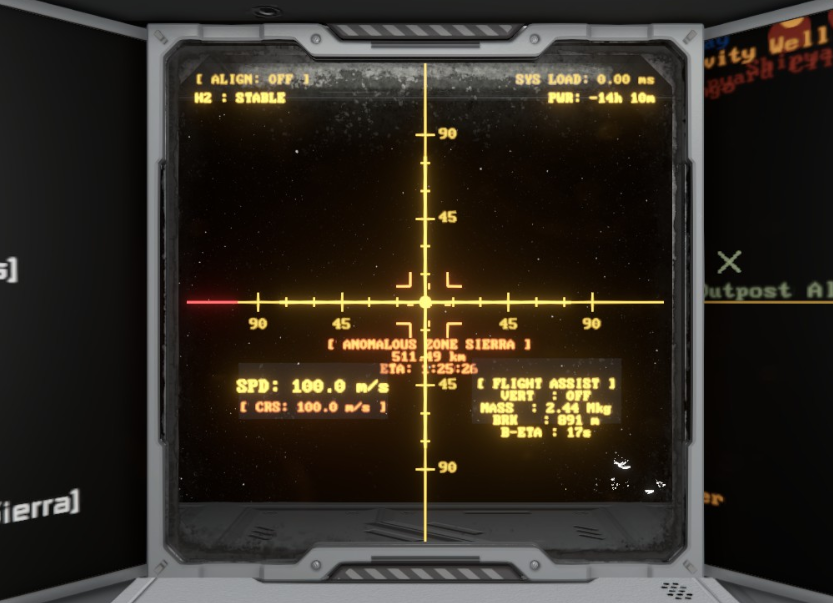
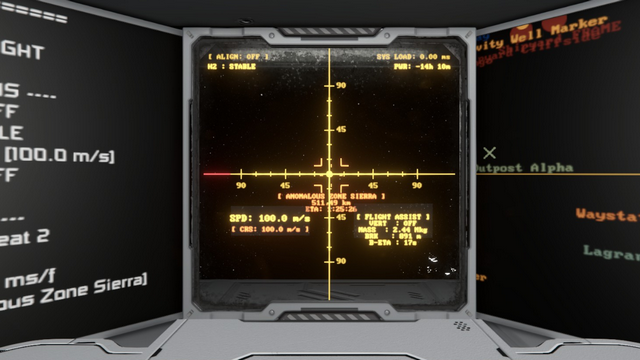
Unified Flight OS is a auxiliary autopilot, navigation, HUD, and flight control script for Space Engineers. It handles heavy carriers, warships, small fighters, tail-sitter rockets, landers, positioning platforms, and elevators.
Please report bugs and rate the script to help other players find it on the Workshop![/quote] [h1]1. Built for Carriers & Heavy Ships[/h1] [list] [*]Smart Cockpit Selection: Auto-adjusts control orientation per seat across multi-bridge grids. [*]Real-Time Braking Calculations: Calculates total mass for exact stopping distances, ignoring docked thrusters. [*]Protecting Docked Grids: Uncheck "Use for Parking" on connectors to prevent dropping sub-grids on takeoff. [*]Soft-Purge Recovery: Built-in reset commands to wipe stuck memory and clear network channels. [/list] [h1]2. LCD & Cockpit Setup[/h1] Name your LCD blocks using the titles below to automatically show telemetry and flight data: [table] [tr][th]LCD Name[/th][th]Function[/th][th]Mode[/th][/tr] [tr][td]HUD LCD[/td][td]3D flight crosshair, target brackets, flight vectors, and runway ILS cues.[/td][td]Script[/td][/tr] [tr][td]HUD Data LCD[/td][td]Text mirror of HUD data optimized for small-grid cockpits.[/td][td]Text[/td][/tr] [tr][td]Nav Data LCD[/td][td]Active routes, saved waypoints, and distance metrics.[/td][td]Text[/td][/tr] [tr][td]IGC Data LCD[/td][td]Coordinates and positions of friendly network ships.[/td][td]Text[/td][/tr] [tr][td]Sys Data LCD[/td][td]H2 tank levels, fuel flow, battery levels, and remaining power time.[/td][td]Text[/td][/tr] [/table] [quote]Cockpit Screens Setup: In Cockpit CustomData, add: Screen_0=HUD, Screen_1=SYS, Screen_2=NAV, Screen_3=IGC, Screen_4=HUDDATA.
Recommended Setup: Place a Control Seat facing a Transparent LCD named HUD LCD.[/quote] [h1]3. Core Features[/h1] [list] [*]CRS (Cruise Control): Forward speed lock with gravity and thruster compensation. [*]VERT (Vertical Control): Hover, altitude hold, climbs, and controlled descents. [*]POS (Position & Deck Lift System): Zero-drift positional translation for platforms, elevators, and docking stops (Alias: ELEVATOR). [*]Dynamic Gravity Descent & Drop: High-G braking drops with flare touchdown or powered DROP acceleration. [*]ROCKET (Vertical Rocket Mode): Tail-sitter flight using main drive engines for lift and braking. [*]PLANE (Plane Flight): Atmospheric bank-and-turn controls with automatic wing lift. [*]ALIGN (Horizon & Target Lock): Gravity leveling, target alignment, and vector locks. [*]IGC (Fleet Network): Shares GPS coordinates and tracks friendly fleet members via antenna. [/list] [h1]4. Complete Command Manual[/h1] Navigation & HUD [list] [*]GPS:[Name] - Saves current coordinates to CustomData as a named marker. [*]GPS:SHARE[:Name] - Saves and broadcasts coordinates over IGC network. [*]NAV:WAY:[Suffix] - Starts automated route matching waypoint suffix. [*]NAV:PAUSE / NAV:RESUME - Pauses or resumes active route flight. [*]NAV:NEXT / NAV:PREV - Cycles forward or backward through waypoints. [*]NAV:CLEAR / NAV:DELETE - Clears all waypoints or deletes selected waypoint. [*]NAV:SHARE - Broadcasts waypoint list over radio to network ships. [*]NAV:FLY - Points at target, cruises forward, and brakes at 750m. [*]NAV:FLY:[Distance] - Points at target, cruises forward, and stops at exact custom distance. [*]TRACK:NAV / TRACK:IGC - Locks HUD target box onto waypoint or friendly fleet ship. [*]IGC:NEXT / IGC:PREV - Cycles tracking through network fleet ships. [*]HUD:TOGGLE - Turns target boxes and HUD crosshairs on or off. [*]HUD:CLEAN - Minimal telemetry mode (boresight crosshair only). [*]HUD:+ / HUD:- - Zooms HUD optical scale in (+) or out (-). [*]HUD:BRIGHT:[Val] - Adjusts HUD brightness scale (0.1 - 3.0). [/list] System Actions, Docking & Position Stops [list] [*]REFRESH - Rescans grid blocks and remaps thruster directions. [*]PURGE / REFRESH:FULL - Wipes memory, flushes radio queues, and resets script. [*]ABORT - Emergency override purge. Restores full manual flight dampeners. [*]DOCK - Locks gears/connectors, kills thrusters, and stockpiles H2. [*]UNDOCK - Unlocks gears/connectors, restores thrusters, and disables stockpile. [*]DOCK:[PortName] - Records port when connected, or auto-docks when undocked. [*]POS:SET:[Name] - Records current position as a named stop. [*]POS:GO:[Name] / [Name] - Translates to target stop with zero-drift stability. [*]POS:UP / POS:DOWN - Steps to next/prev position stop (Alias: ELEVATOR). [*]POS:CLEAR - Clears all stored position stops. [*]PAN:[Dir]:[Dist] - Translates ship in direction (UP/DOWN/LEFT/RIGHT/FWD/BACK) for set distance. [*]SYS:OFF / SYS:ON - Toggles non-essential grid functional blocks. [/list] Land & Launch Automation [list] [*]LAND - Controlled 2.5m/s descent (zero-G or gravity-aligned). [*]LAND:[Altitude] - High-G braking descent to set surface altitude and hold. [*]LAND:GRAVITY - High-G descent with continuous flare touchdown (-0.3 m/s). [*]LAND:DROP - Powered drop descent using downward thrusters before braking. [*]LAND:RUNWAY - Runway glide path (-5 m/s descent, reverse rollout >10 m/s). [*]LAND:ROCKET / ROCKET:LAND - High-G tail-engine descent, touchdown, and park. [*]LAND:ROCKET:[Alt] - High-G tail-engine descent holding target surface altitude.
Highlights
From source dataFootprint
Rated a light load on a server.
Last update
Its author last shipped an update 4d ago.
Unified Flight OS on Nxeon
From our catalogue- One-click install
- Not available. One-click install isn't available for this game's mods yet. Download it and upload it to your server in Files.
- Server load
- light
- Smallest plan we suggest
- Space Engineers — 8 GB (8 GB RAM). This follows our own load rating above, not a benchmark.
- Latest build
- 2026-10-30, released 2026-10-30
Game versions by loader
| Loader | Game versions | Newest |
|---|---|---|
| Workshop |
From 7 recorded builds of Unified Flight OS.
Recent builds
| Build | Released | Game versions | Loaders |
|---|---|---|---|
| 2026-10-30 | 2026-10-30 | n/a | Workshop |
| 2026-10-17 | 2026-10-17 | n/a | Workshop |
| 2026-10-13 | 2026-10-13 | n/a | Workshop |
| 2026-10-10 | 2026-10-10 | n/a | Workshop |
| 2026-10-07 | 2026-10-07 | n/a | Workshop |
| 2026-10-04 | 2026-10-04 | n/a | Workshop |
Run Unified Flight OS on a Space Engineers server
Deploy a server above, then upload the file in Files.
What kind of mod it is
From the catalogListed on Steam Workshop as “Workshop”
Technology & automation
Machines, power, logistics and automation.
Compatibility
- Game
- Space Engineers
Verified at the source
- ✓Steam WorkshopOfficial listing, checked 2026-11-03Open ↗
- ✓AuthorTel_Arin, as published on Steam Workshop
- ✓LicenseNot published by the sourceFree












