






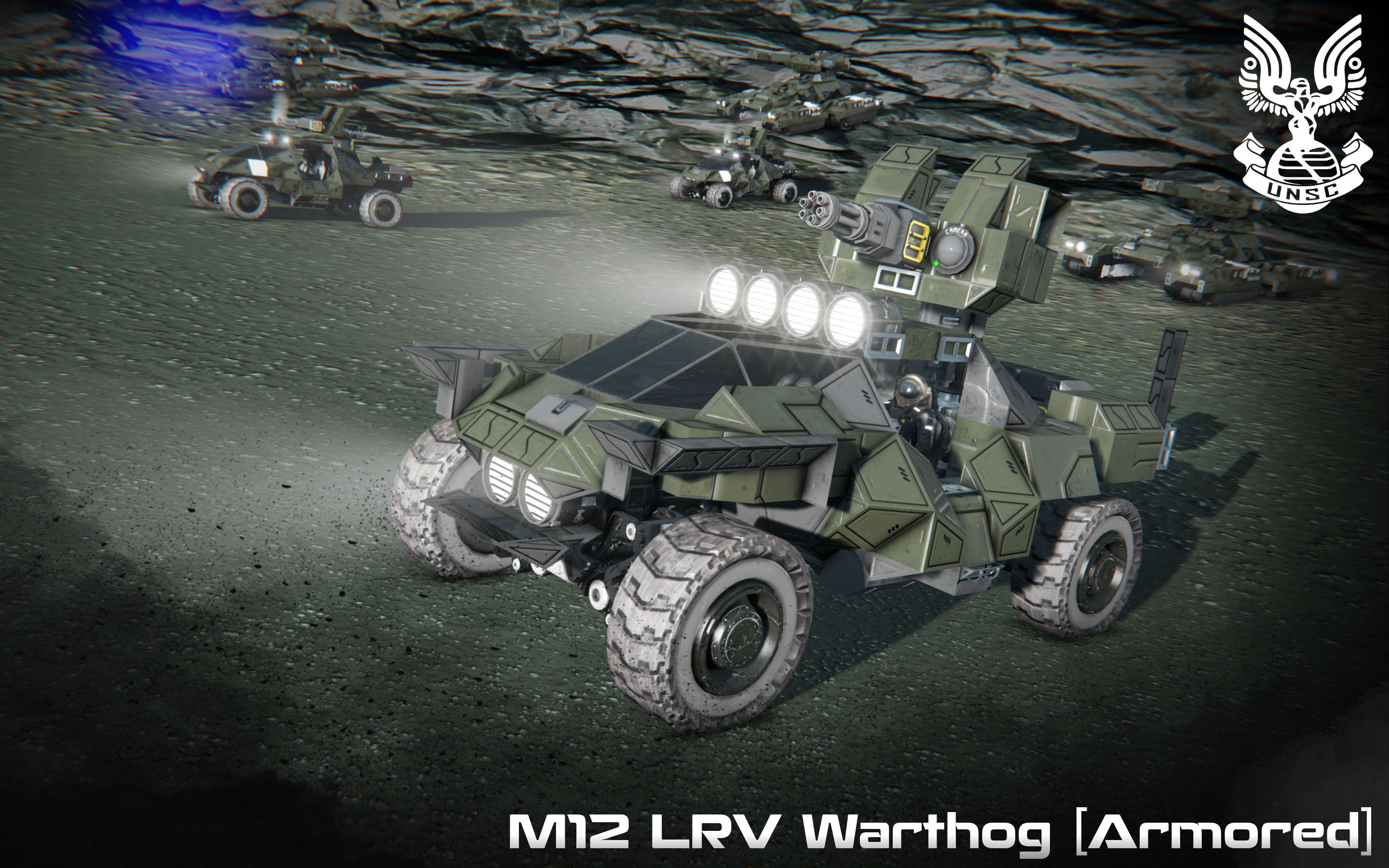

About UNSC M12 LRV Warthog [Armored]
From Steam WorkshopM12B Light Reconnaissance Vehicle The M12 Light Reconnaissance Vehicle (LRV) is a variant of the United Nations Space Command's M12 Force Application Vehicle. Models fielded during the Insurrection…
M12B Light Reconnaissance Vehicle [Source: Halo Wars 2]
The M12 Light Reconnaissance Vehicle (LRV) is a variant of the United Nations Space Command's M12 Force Application Vehicle. Models fielded during the Insurrection and the Human-Covenant War featured a turret-mounted M41 Vulcan or M46 Vulcan, while M12Bs are armed with an M343A2 chaingun
Production information
> Manufacturer: AMG Transport Dynamics > Model: M12 LRV
Dimensions
> Length: 8.00 meters (Actual: 6.0meters ) > Width: 4.00 meters (Actual: 3.0 meters ) > Height: 4.50 meters (Actual: 2.5 meters )
Instructions [Driver]:
01.) Proceed to enter the left driver seat.
02.) Once in, access the ship's control panel and select the "- [01] Remote Control [Driver]", then "Control" it to access the Warthog's main controls.
Controls [Driver]: [1]: M41 Light Anti-Aircraft Gun - (Fire) [2]: Front Lights - (On/Off) [3]: Turret Rotors - (Lock/Unlock) [4]: Camera [M41 Vulcan] - (View) [5]: -Empty- [6]: Hold 'X' to flip Warthog [7]: -Empty- [8]: Wheels - (On/Off) [9]: Handbrake - (On/Off)
*NOTES:
[1] - Reactor can be found on the left side of the Warthog (behind the driver's seat).
Additional Credits:
> Whip's Mouse Aimed Rotor Turret Script: http://steamcommunity.com/sharedfiles/filedetails/?id=944915802
>Whip's Image To LCD Converter: http://forum.keenswh.com/threads/tool-whips-image-to-lcd-converter.7393443/
*NOTE: To use the flip feature effectively, make sure the turret is straight (either forward or backward). An angled turret will interfere with this function.
Highlights
From source dataFootprint
Rated a light load on a server.
Last update
Its author last shipped an update 8 yr ago.
UNSC M12 LRV Warthog [Armored] on Nxeon
From our catalogue- One-click install
- Not available. One-click install isn't available for this game's mods yet. Download it and upload it to your server in Files.
- Server load
- light
- Smallest plan we suggest
- Space Engineers — 8 GB (8 GB RAM). This follows our own load rating above, not a benchmark.
- Latest build
- 2018-11-27, released 2018-11-27
Game versions by loader
| Loader | Game versions | Newest |
|---|---|---|
| Workshop |
From 1 recorded build of UNSC M12 LRV Warthog [Armored].
Dependencies
- Required: Small Ship Window Pack
Declared by the newest build that lists any. Required ones are installed with it on one-click installs.
Run UNSC M12 LRV Warthog [Armored] on a Space Engineers server
Deploy a server above, then upload the file in Files.
What kind of mod it is
From the catalogVehicles & ships
Cars, boats, aircraft, ships and other things to drive or fly.
Compatibility
- Game
- Space Engineers
Verified at the source
- ✓Steam WorkshopOfficial listing, checked 2026-11-01Open ↗
- ✓AuthorPrimoSuperT, as published on Steam Workshop
- ✓LicenseNot published by the sourceFree












