About UNSC M313 HRV Elephant
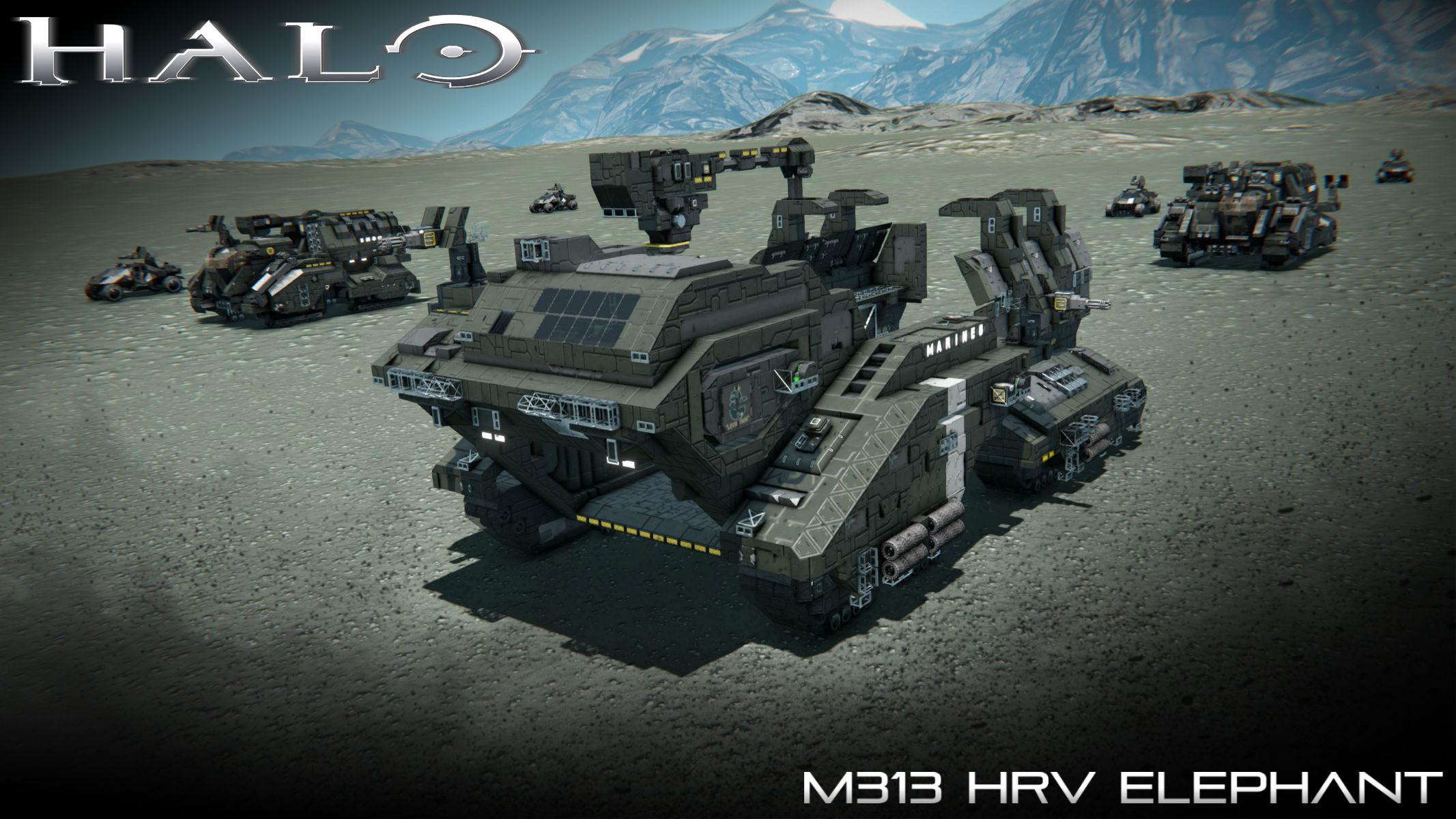
From Steam WorkshopM313 Heavy Recovery Vehicle The M313 Heavy Recovery Vehicle, commonly known as the Elephant, is a heavy UNSC Marine Corps Mobile Assault, Support, and Recovery Platform. Sometimes referred to as the…
M313 Heavy Recovery Vehicle [Source: Halo 3]
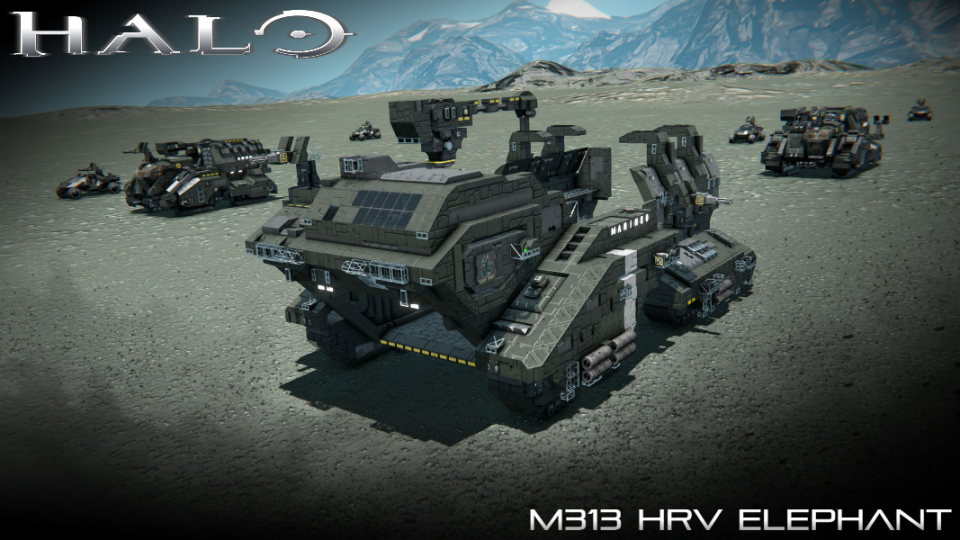
The M313 Heavy Recovery Vehicle, commonly known as the Elephant, is a heavy UNSC Marine Corps Mobile Assault, Support, and Recovery Platform. Sometimes referred to as the Behemoth-class Troop Transport, the vehicle is one of the largest ground vehicles employed by the UNSC for ground-based operations, though since the end of the Human-Covenant War in 2552 it has been surpassed in size by the M510 Mammoth.
Production information
> Manufacturer: JOTUN Heavy Industries > Product line: Elephant > Model: M313
Dimensions
> Length: 26.0 meters (Actual: 25.7 meters ) > Width: 13.5 meters (Actual: 13.6 meters ) > Height: 11.5 meters
Instructions [Driving]:
01.) When spawning in the Elephant, place it as close to the ground as possible. From there, enter in the cabin on the second level and enter the flight seat. Switch to toolbar 03 and press [1] to retract the piston stands.
02.) The rotors holding the eight bogies of the M312 are pre-set to on to allow for independent movement of each bogie. Select the appropriate configuration by pressing [9] on the toolbar (use your best judgment). At times, you may have to shake the Elephant left/right in order to climb slopes.
03.) When having difficulty climbing, press [7] on toolbar 01 to activate assist thrusters. Deactivate the thrusters when nearing the top/when descending.
Instructions [Loading/Unloading Cargo]:
01.) When in the driver’s seat, proceed to toolbar 02.
02.) Unlock the crane by pressing [2] then press [1] to activate the crane’s advanced rotor. Press [3] to reverse the direction of the rotor.
03.) Press [4] to extend/retract the crane’s arm; press [5] to extend/retract the hoisting rope. When locked on to the cargo on interest, press [9]. Raise the object by pressing [5], then increase the piston’s impulse by pressing [7]
04.) When moving the object between the outside and the cargo area, press [8] to raise the crane. Lower the crane once the object has passed the armor.
05.) Stop the crane by pressing [1] and [2]. Lower the hoisting rope and drop the cargo by unlocking the hook. Finally, decrease the piston’s impulse to minimum.
Hold "RB" to flip...wait, what? How did you do that?
01.) When in the driver’s seat, proceed to toolbar 03
02.) Press [9] to flip the elephant. You may have to repeatedly press [9] in order to bring it right-side up. (NOTE: The Elephant rolls only to the right)
Controls [Toolbar 01]: [1]: M41 LAAG [Forward Turret] - (Fire) [2]: Rotors [Turret 01][Lock] - (Lock/Unlock) [3]: Horn - [4]: Front Lights - (On/Off) [5]: -Empty- [6]: Antenna - (On/Off) [7]: Thrusters [Assist] - (On/Off) [8]: Rotors [All Bogies]- (On/Off) [9]: Rotors [All Bogies]- (Reverse)
Controls [Toolbar 02]: [1]: Advanced Rotor [Crane] – (On/Off) [2]: Advanced Rotor [Crane] – (Lock/Unlock) [3]: Advanced Rotor [Crane] – (Reverse) [4]: Pistons [Crane][Arm] – (Extend/Retract) [5]: Pistons [Crane][Hoisting Rope] - (Extend/Retract) [6]: Pistons [Crane][Hoisting Rope] –(Decrease Impulse) [7]: Pistons [Crane][Hoisting Rope] – (Increase Impulse) [8]: Rotors [Crane][Lift] – (Reverse) [9]: Crane [Hook] – (Lock/Unlock)
Controls [Toolbar 03]: [1]: Pistons [Stand] - (Reverse) [2]: -Empty- [3]: -Empty- [4]: -Empty- [5]: -Empty- [6]: -Empty- [7]: -Empty- [8]: -Empty- [9]: Hold "RB" to flip...wait, what? How did you do that?
*NOTES:
[1] - Tread carefully when driving through uneven surfaces (recommended going ~5.0 m/s or less) to prevent damaging the bogies/treads. Recommended use on smooth surfaces.
[2] – The left M41 Light Anti-Aircraft Gun is there for decorative purposes. You can however customize it to aim at whatever direction you desire.
[3] – Recommend loading small cargo with the crane as larger objects will not pass through the side armor. The cargo may have to be elevated if attempting to lift outside the elephant.
Work In Progress:
[1]: https://www.reddit.com/r/spaceengineers/comments/9jll0l/i_like_elephants/
[2]: https://www.reddit.com/r/spaceengineers/comments/9qcam7/progress_on_the_unsc_m312_and_m313_elephants/
Additional Credits:
A huge thanks goes to the exceptionally talented VanuBaguio for creating the frame of the Elephant as well as proposing several great ideas for the features/functions. He was also able to get some of the Halo 3 images used in some of the LCDs. He is an engineer who has taught me many things about Space Engineers as well as got me into Halo builds.
>Automatic LCDs 2 by "MMaster": http://steamcommunity.com/sharedfiles/filedetails/?id=822950976&searchtext=automatic+lcds
>Weapon Rack by “Eikester”: https://steamcommunity.com/sharedfiles/filedetails/?id=1139587813
> Graphical Radar [REBUILT] by “sysigy”: https://steamcommunity.com/sharedfiles/filedetails/?id=1112762176
>Skid Steering Suspensions (Script) by "Sunoko": https://steamcommunity.com/sharedfiles/filedetails/?id=945775847
> Whip's Mouse Aimed Rotor Turret Script: http://steamcommunity.com/sharedfiles/filedetails/?id=944915802
>Whip's Subgrid Wheel Control Script: https://steamcommunity.com/sharedfiles/filedetails/?id=1445055239
>Whip's Image To LCD Converter: http://forum.keenswh.com/threads/tool-whips-image-to-lcd-converter.7393443/
Special thanks to Asgard10 and the red moustache for assisting me in testing the M313 Elephant!
Highlights
From source dataFootprint
Rated a light load on a server.
Last update
Its author last shipped an update 8 yr ago.
UNSC M313 HRV Elephant on Nxeon
From our catalogue- One-click install
- Not available. One-click install isn't available for this game's mods yet. Download it and upload it to your server in Files.
- Server load
- light
- Smallest plan we suggest
- Space Engineers — 8 GB (8 GB RAM). This follows our own load rating above, not a benchmark.
- Latest build
- 2019-03-22, released 2019-03-22
Game versions by loader
| Loader | Game versions | Newest |
|---|---|---|
| Workshop |
From 1 recorded build of UNSC M313 HRV Elephant.
Dependencies
- Required: Small Ship Window Pack
- Required: Weapon Rack
Declared by the newest build that lists any. Required ones are installed with it on one-click installs.
Run UNSC M313 HRV Elephant on a Space Engineers server
Deploy a server above, then upload the file in Files.
What kind of mod it is
From the catalogVehicles & ships
Cars, boats, aircraft, ships and other things to drive or fly.
Compatibility
- Game
- Space Engineers
Verified at the source
- ✓Steam WorkshopOfficial listing, checked 2026-11-01Open ↗
- ✓AuthorPrimoSuperT, as published on Steam Workshop
- ✓LicenseNot published by the sourceFree