






About V.M.E Single-Axle Survival Trailer
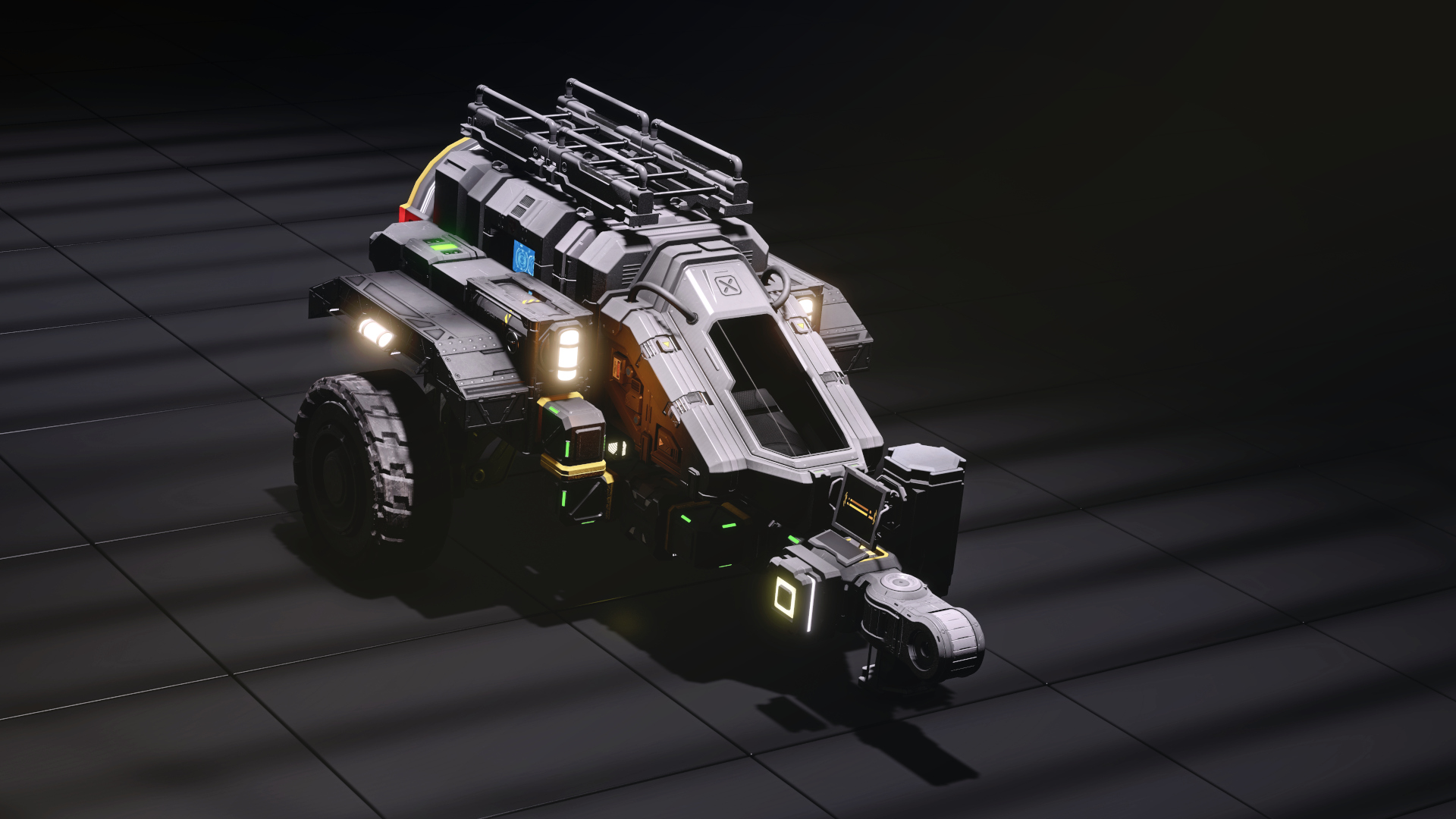
From Steam WorkshopThe G.XS-T321 by Valkyrja - Maintenance & Engineering is a single-axle trailer on 3x3 wheels, carrying a selection of critical survival equipment. While this trailer was designed for the…
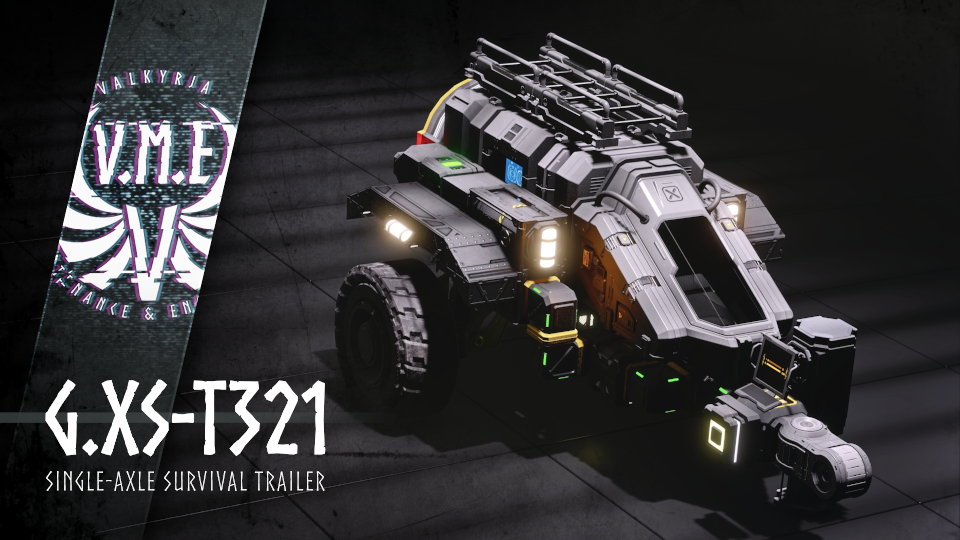
The G.XS-T321 by Valkyrja - Maintenance & Engineering is a single-axle trailer on 3x3 wheels, carrying a selection of critical survival equipment.
While this trailer was designed for the G.CS-LDT-1 Light-Duty Truck, it can be attached to any fitting vehicle with a compatible 1x1 Hinge tow-hitch.
This item is survival-ready! It is fully conveyor-linked, thruster-damage compatible and uses no mods or subgrids.
Keep in mind that wheels and the head from the piston-stand technicaly count as subgrids. So you will see a warning when loading it into a projector. The wheels should attach automaticly when building this item. The stand will work fine without the head, but to level the trailer correctly, I suggest adding it through the control menu manually.
Datasheet
Blocks: 69 Non-armor blocks: 50 PCU: 1,319 Triangles: 176,803 Grid mass: 8,380 kg
Key features
Automatic Setup Move your Towing vehicle to the Hinge and lock the Vehicle to the Trailer. Press the button and the Trailer will... - Raise the Piston stand - Unlock the horizontal steering hinge - Deactivate the beacon - Release the wheel brakes
If you've built this in survival, check these functions before heading of!
Press the button again before detaching the Trailer from your vehicle. The Trailer will Reengage the brakes and piston stand to have your Trailer ready for deployment.
The G.XS-T321 comes with the following mission equipment:
- 1x Cryo-Chamber
- 1x Programable Block (blank)
- 2x Small Hydrogen Tanks
- 2x Small Battery
- 2x Timer Block (1x free)
- 2x Small Cargo Container
- 1x Spare Wheel
- 1x Ladder[/list]
- [h1]Instructions[/h1]
- [code]
- Setup:
- Make sure your towing vehicle is equipped with a compatible tow hitch. It will need a small grid 1x1 hinge that allows for vertical travel - meaning it must be able to move up and down.
- Remove the hinge-part. This is where the trailer will be attached to.
- The hinge should be mounted at the same high of your (3x3) wheel suspensions, so ~2 small blocks above ground-level. You can set it a bit higher or lower, but keep in mind that this might interfere with the trailers own ground-clearence. But you can adjust the suspension settings to a certain level.
- If you have build the trailer in survival, you will need to add the counterpart hinge to it as well. See the screenshots for reference and make sure it is aligned correctly.
- Hook-up:
- Carefully drive your towing vehicle to the trailers hitch in reverse. If you do it correctly, both the hinge on your vehicle and the hinge-part on the trailer should intersect without pushing the trailer away.
- Access the vehicles tow-hinge either via control-menu or toolbar-shortcut and select "Attach". The hinge should now connect to the trailer. If this does not happen, check the "troubleshooting"-section.
- If your trailer is attached, get out of the vehicle and press the button on the right side of the trailer. You will now see the piston stand rising up.
- That's it. You're now ready to head out!
- Troubleshooting
- The Trailer won't attach to my vehicle
- Step out of the vehicle and take a good look at your setup. First, make sure both your car's hinge and the trailers hinge-part meet and are both aligned correctly and at a clear angle. If both ends are offset in high, tweek with your car's suspension-settings until they are leveled. If that's not enough, you can also change the trailer's piston-stands elevation settings to extend or lower the hinge-part.
- Check if both car and trailer don't have their original hinge-counterpart on them. Use the "Deatch"-button in the control menu or grind them off if neccessary.
- Check if the hinge part was pushed to the side by the horizontal hinge. If that happend, acces the control-menu of the trailer, find the hinge and activate the hinge-lock. Realign your vehicle. You should now be able to move up, with the hinge-part staying in place.[/code]
- [h1]Credits[/h1]
- Visual Mods & Skyboxes for Screenshots
- [list][*]Milky Way Skybox (insane resolution)
- by Darth Biomech
- Scratch and Edge Be Gone!
- by Whiplash141
- Screen Gunk Be Gone!
- by Whiplash141[/list]
- Varia
- [list][*]Logos were converted to LCD-Panels with Whips Image Converter
- by Whiplash141
Highlights
From source dataFootprint
Rated a light load on a server.
Last update
Its author last shipped an update 6 yr ago.
V.M.E Single-Axle Survival Trailer on Nxeon
From our catalogue- One-click install
- Not available. One-click install isn't available for this game's mods yet. Download it and upload it to your server in Files.
- Server load
- light
- Smallest plan we suggest
- Space Engineers — 8 GB (8 GB RAM). This follows our own load rating above, not a benchmark.
- Latest build
- 2020-08-22, released 2020-08-22
Game versions by loader
| Loader | Game versions | Newest |
|---|---|---|
| Workshop |
From 1 recorded build of V.M.E Single-Axle Survival Trailer.
Run V.M.E Single-Axle Survival Trailer on a Space Engineers server
Deploy a server above, then upload the file in Files.
What kind of mod it is
From the catalogGameplay & overhauls
New mechanics, content and overhauls that change how the game plays.
Compatibility
- Game
- Space Engineers
Verified at the source
- ✓Steam WorkshopOfficial listing, checked 2026-11-01Open ↗
- ✓AuthorTaidyr, as published on Steam Workshop
- ✓LicenseNot published by the sourceFree












