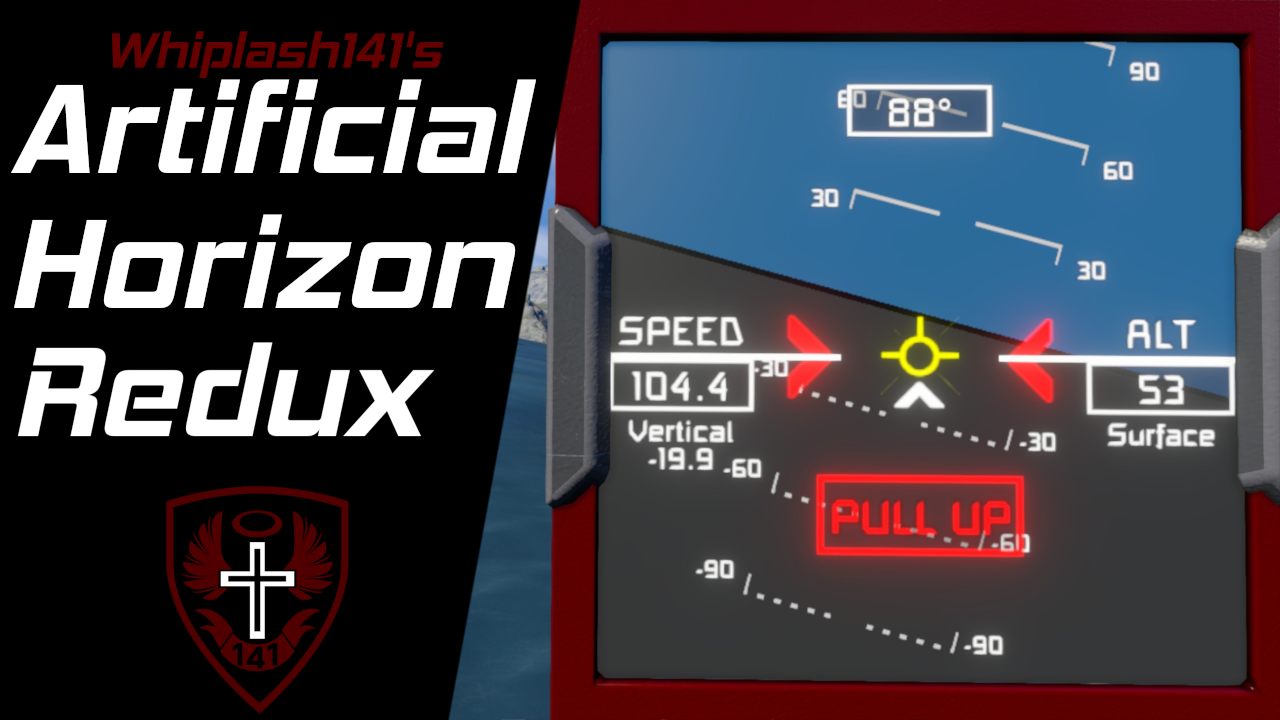
About Whip's Artificial Horizon Redux
From Steam WorkshopWhip's Artificial Horizon Redux [img=https://i.imgur.com/86zb7Bb.png?1] Updated the space orientation indicator to draw 3D arrow heads for better visual clarity Howdy! This is my rendition of an…
Whip's Artificial Horizon Redux
[img=https://i.imgur.com/86zb7Bb.png?1] Updated the space orientation indicator to draw 3D arrow heads for better visual clarity [img=https://imgur.com/AJCJORK.png]
[img=https://i.imgur.com/Vw0h1Xy.png] Howdy!
This is my rendition of an artificial horizon for use on the ship cockpit screens and regular LCDs and text panels; I wasn't satisfied with Keen's so I made my own. This script utilizes the new sprite based drawing API to allow the visuals to be much more crisp than my old pixel-based variant.
In atmosphere, the script will display a colored artificial horizon with graphical indicators for velocity, pitch, and roll as well as text displays of altitude, speed, and heading. [img=https://i.imgur.com/aLZm22B.gif]
When you leave a planet's atmosphere, the horizon disappears and the screen functions as a graphical velocity indicator where speed and acceleration are displayed on screen. Also, the world XYZ axes are drawn to help you orient yourself in space. [img=https://i.imgur.com/xlKvQyu.gif]
[img=https://i.imgur.com/ijnp70R.png]
- Works with new cockpit LCDs
- Prograde and retrograde velocity indicators that never go off screen
- Fully configurable colors
- Uses Custom Data for customization (No more need to modify the code!)
- Uses new sprite drawing API to generate crisp visuals
- PULL UP warning displays when the script detects that a collision with the ground is imminent
- Works as a graphical velocity indicator in space
- World XYZ axes are shown when in space to help you orient yourself
[img=https://imgur.com/A6KkMfe.png]
Required Steps
[olist] [*] Place this script on your ship [*] Place one or more ship controllers on your ship (Cockpits, Flight Seats, or Remote Controls) [*] Add Horizon to the name of text panels or blocks with text surfaces that you want the artificial horizon displayed.
- Configure which text surface the horizon is displayed on within the block's custom data (You don't need to do this for text panels). The default config will be populated automatically.[/list]
- [img=https://i.imgur.com/5N22SLIl.png]
- Enjoy!
- [/olist]
- [h1]Optional steps[/h1]
- [list][*] Place the word Reference in the name of the ship controller that you want use to orient the the artificial horizon.
- [list][*] If you do not specify, the code will automatically detect and use the seat you are controlling the ship from.[/list]
- Place the word Horizon in the name of any sound blocks you want to use for ground collision warnings.
- [list][*] Make sure to select a sound to play on the sound block. You can configure the loop interval in the custom data of the programmable block.[/list]
How to read the XYZ axes
[img=https://i.imgur.com/OyrbFvP.png]
[img=https://i.imgur.com/f6sDUT2.png] You can change how the artificial horizon looks and behaves within the Custom Data of the programmable block this script is running from. Simply open the custom data, modify it, and click "Ok". The code will update to reflect these changes within 10 seconds at most. [img=https://i.imgur.com/QdVD3P7.png]
[img=https://i.imgur.com/rQduCxw.png]
Can I customize the colors?
Yes, in the custom data of this programmable block.
Does this work with the new cockpit LCDs?
Yes.
Can I have an Artificial Horizon and a Radar on different cockpit screens?
Yes, as long as they are configured to write to different cockpit screens, my scripts will not conflict.
Will this work with Configurable Auto LCDs 2?
Yes. Simply append the CAL2 configuration to the END of the Custom Data like so:
Artificial horizon configuration
---
Auto LCD configuration
The three hyphens (---) need to go after everything else in the Custom Data, but before the Auto LCD configuration.
Do you have an Elite Dangerous color scheme that matches the Radar script?
Yes! Check out the presets below in the Color Schemes discussion!
[img=https://i.imgur.com/twuIaF6.png] Be sure to report any bugs below in the Bug Reports discussion. Hope y'all enjoy :)
(Do not reupload without permission, not even to mod.io)
Highlights
From source dataFootprint
A 486 KB download, rated a light load on a server.
Last update
Its author last shipped an update 2 yr ago.
Whip's Artificial Horizon Redux on Nxeon
From our catalogue- One-click install
- Not available. One-click install isn't available for this game's mods yet. Download it and upload it to your server in Files.
- Server load
- light
- Smallest plan we suggest
- Space Engineers — 8 GB (8 GB RAM). This follows our own load rating above, not a benchmark.
- Latest build
- 2024-10-14, released 2024-10-14, 486 KB
Game versions by loader
| Loader | Game versions | Newest |
|---|---|---|
| Workshop |
From 1 recorded build of Whip's Artificial Horizon Redux.
Run Whip's Artificial Horizon Redux on a Space Engineers server
Deploy a server above, then upload the file in Files.
What kind of mod it is
From the catalogQuality of life & UI
Small conveniences, tweaks and interface improvements players notice straight away.
Compatibility
- Game
- Space Engineers
- File size
- 486 KB
Verified at the source
- ✓Steam WorkshopOfficial listing, checked 2026-10-10Open ↗
- ✓AuthorWhiplash141, as published on Steam Workshop
- ✓LicenseNot published by the sourceFree