







About Whip's Missile Status Script (for WHAM)
From Steam WorkshopWhip's Missile Status Script Description This script provides a graphical display of the status of [url=https://steamcommunity.com/sharedfiles/filedetails/?id=2108743626]WHAM missiles on LCD panels…
Whip's Missile Status Script
[img=https://i.imgur.com/iHy45ds.png]
Description
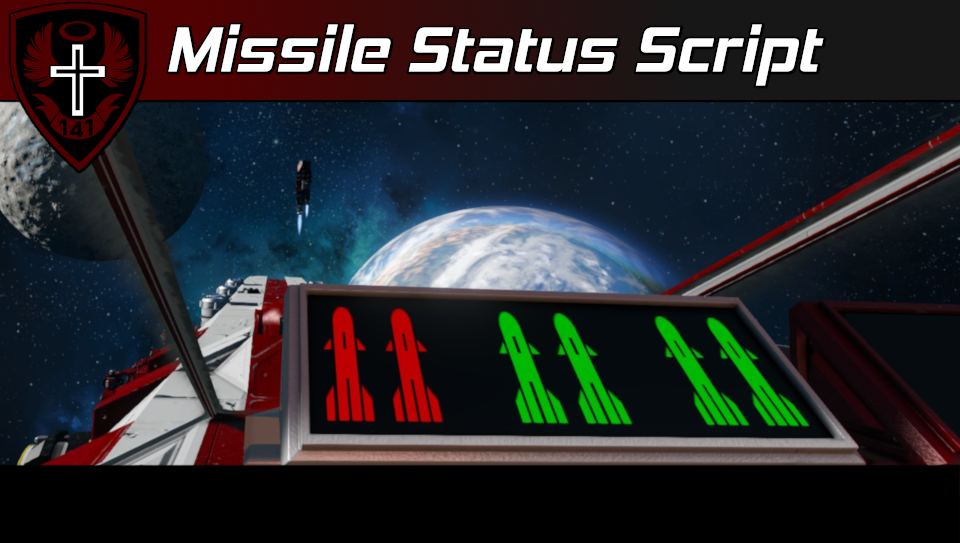
This script provides a graphical display of the status of WHAM missiles on LCD panels or blocks with multiple display surfaces like cockpits. When a particular missile is detected by the script, it will display a green missile icon and, when it is missing, it will display a red icon instead (by default). You can customize things like color and position in the custom data of the programmable block and display screens.
[img=https://i.imgur.com/iHy45ds.png]
Setup Instructions
General Instructions
[olist] [*] Place this script into a programmable block [*] Add text panels, LCDs, and/or blocks with multiple display screens to a group named "Missile Status" [*] In the Custom Data of the display screen blocks, configure their custom data to display the missile icons that you want. See the section Custom Data Config - Display Screens below for more details. [*] To process any block changes or Custom Data changes, you must recompile the script [/olist]
Custom Data Config - Display Screens
This section covers the configuration of the Custom Data of the display screen blocks. [olist] [*] To add a missile icon to a display screen, open the Custom Data of the block and add the WHAM missile group name in brackets. For example:
[Missile 1]
The name needs to match a WHAM missile name tag exactly for the script to properly detect the missile.
[*] Recompile the code and then re-open the Custom Data of the block.
If the block has multiple display screens, the Custom Data should now look like this:
[Missile 1]
Sprite location=0, 0
Sprite scale=1
Sprite rotation (deg)=0
Screen index to display on=0
Set the "Screen index to display on" to the particular screen that you want to display the icon on.
If the block has a single display screen, the "Screen index to display on" key will not be present:
[Missile 1]
Sprite location=0, 0
Sprite scale=1
Sprite rotation (deg)=0
Note: The "Sprite location" coordinates range from -1, -1 (top left of the screen) to 1, 1 (bottom right of the screen). You can use decimals to place it somewhere in-between. The first number is the horizontal (X) offset, the second number is the vertical (Y) offset.
[*] Recompile the script to process any Custom Data changes. [*] Repeat this process for all the missiles you wish to display. [/olist]
Custom Data Config - Programmable Block
This section covers the configuration of the Custom Data of the programmable block that runs this script. Note: A programmable block can also be used for its display screens as well.
Programmable block Custom Data will automagically be populated with the following default config the first time it is compiled:
[Missile Status Screens - General Config]
Status screen group name=Missile Status
Missile group name tag=Missile
Show title bar=false
Title scale=1
Missile ready color=0, 75, 0, 255
Missile inactive color=75, 75, 0, 255
Missile fired color=25, 25, 25, 255
Title bar color=25, 25, 25, 255
Title text color=150, 150, 150, 255
Background color=0, 0, 0, 255
Global sprite scale=0.25
; You can create your own sprites using the SE Sprite Builder
; https://gitlab.com/whiplash141/spritebuilder/-/wikis/home
Sprite list=
You can change these if you desire, then recompile the code to process changes.
If you want to use a custom sprite for the missile icon, you can use the custom data export of the Sprite Builder app to set the Sprite list key accordingly. If you do not care, just leave it blank.
[img=https://i.imgur.com/iHy45ds.png]
Author's Notes
If you have issues are need help, please leave a comment in the "Help/Questions" discussion thread for this script.
Ship pictured in the thumbnail is the Komodo Guided Missile Destroyer Mk 2.
(Do not reupload without permission, not even to mod.io)
Highlights
From source dataFootprint
Rated a light load on a server.
Last update
Its author last shipped an update 3 yr ago.
Whip's Missile Status Script (for WHAM) on Nxeon
From our catalogue- One-click install
- Not available. One-click install isn't available for this game's mods yet. Download it and upload it to your server in Files.
- Server load
- light
- Smallest plan we suggest
- Space Engineers — 8 GB (8 GB RAM). This follows our own load rating above, not a benchmark.
- Latest build
- 2024-04-08, released 2024-04-08
Game versions by loader
| Loader | Game versions | Newest |
|---|---|---|
| Workshop |
From 1 recorded build of Whip's Missile Status Script (for WHAM).
Run Whip's Missile Status Script (for WHAM) on a Space Engineers server
Deploy a server above, then upload the file in Files.
What kind of mod it is
From the catalogQuality of life & UI
Small conveniences, tweaks and interface improvements players notice straight away.
Compatibility
- Game
- Space Engineers
Verified at the source
- ✓Steam WorkshopOfficial listing, checked 2026-11-01Open ↗
- ✓AuthorWhiplash141, as published on Steam Workshop
- ✓LicenseNot published by the sourceFree













