






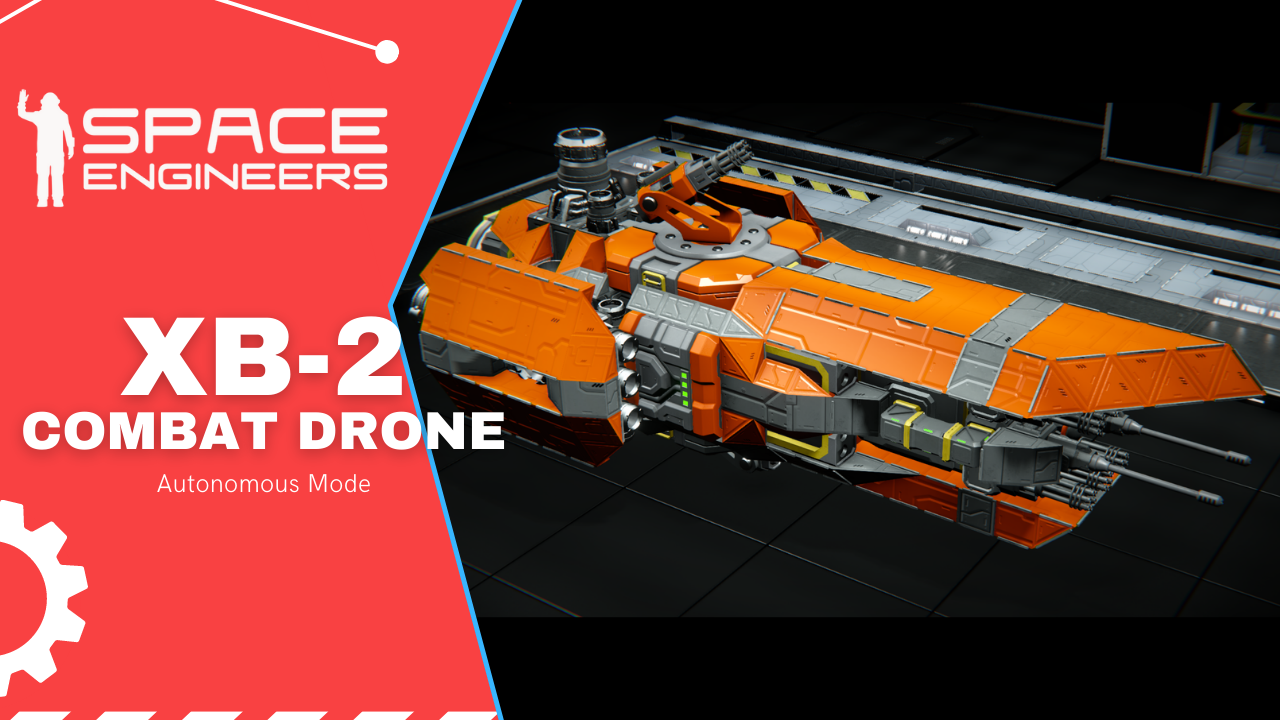
About XB-2 Combat Drone
From Steam WorkshopFollow me on: Workshop || [url=https://youtube.com/channel/UC7qYg9-lDHqpp7mlmpTY6_w]YouTube || Reddit https://i.imgur.com/USJnUyW.png Easy to use automated combat drone. May be used with any other…
Follow me on: Workshop || YouTube || Reddit  Easy to use automated combat drone. May be used with any other space ship. Designed to scale and co-operate with other automated systems in space. It utilises cheerkin`s Area Superiority Drone script, Whip`s SHART and SDS Operation System for the control panel.
 Large grid control module: Large grid control module If you'd like to buy me a coffee: https://ko-fi.com/pro100tv <- more pictures and WIP projects How to use: 1. Spawn the drone. 2. Cut off the control module (attached to the drone) and place the green parts on your command ship. [You can re-color them of course :)] Note: Remote controls and gyroscope must face the forward direction of your ship. 3. Get control over the #XB-2 Remote Control 4. Turn on "a-processing-core" PB on your command ship 5. Recompile the programmable blocks
In the #XB-2 Remote Control
 6. Using 1-up ; 2-down ; 3-enter ; 5-previous page ; 6-next page, select "Form up" on the LCD.
 7. At this point the drone should follow you and start to fight as soon as the turret picks up a hostile. Docking To dock: 1. Press 6 while controlling the #XB-2 Remote Control 2. Select "Dock"
To undock: 1. Select "Undock" 2. UPDATED now you simply need to press undock and the drone will go back to the formation right away.
If you have multiple drones and want to dock them, add more connectors to your command ship. Please note: the connectors should`t be obstructed by anything and if you decide to use different connector, name it "docka" and add to the "undock connectors" group. If you want your drones to attack a target which is outside of their turret range: 1. Take control over #XB-2 Remote Control 2. Select "Lock target" on the LCD 3. Point the camera on the target 4. select either "Attack locked" or "RAM" to Attack the target or ram it.
To recall the drones: 1. Select "Return" 2. Select "Stop shooting"
To switch formation for the circling pattern: 1. Select "Circle formation" 2. Select it again to stop. Note: It may take some time before the drones will start/stop circling. If you enjoy it please leave a thumb up, it helps a lot!!  Credits ASE Whornet Whip`s SHART SDS Operation System You may also like: XU-1 Mining Drone Custom Made Machine Gun XB-1 Loyal Wingman G-X Light Personal Vehicle PIN Locked Vault Doors U-3 Wheel Loader U-2 Tractor G-7 Flatbed Truck G-7 Heavy Armored Vehicle U-1 Manitou Telescopic Handler G-6 Pickup Crane Car G-6 Pickup Car G-5 Muscle Car
mod.io: https://spaceengineers.mod.io/xb-2-combat-drone (Please note that due to Microsoft restrictions all the automation features are disabled on Xbox. You can still spawn and take a remote control over the drone).
Highlights
From source dataFootprint
Rated a light load on a server.
Last update
Its author last shipped an update 5 yr ago.
XB-2 Combat Drone on Nxeon
From our catalogue- One-click install
- Not available. One-click install isn't available for this game's mods yet. Download it and upload it to your server in Files.
- Server load
- light
- Smallest plan we suggest
- Space Engineers — 8 GB (8 GB RAM). This follows our own load rating above, not a benchmark.
- Latest build
- 2022-02-21, released 2022-02-21
Game versions by loader
| Loader | Game versions | Newest |
|---|---|---|
| Workshop |
From 1 recorded build of XB-2 Combat Drone.
Run XB-2 Combat Drone on a Space Engineers server
Deploy a server above, then upload the file in Files.
What kind of mod it is
From the catalogVehicles & ships
Cars, boats, aircraft, ships and other things to drive or fly.
Compatibility
- Game
- Space Engineers
Verified at the source
- ✓Steam WorkshopOfficial listing, checked 2026-11-01Open ↗
- ✓Authorpro100tv, as published on Steam Workshop
- ✓LicenseNot published by the sourceFree












