






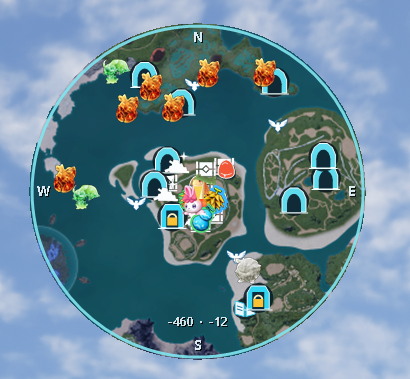
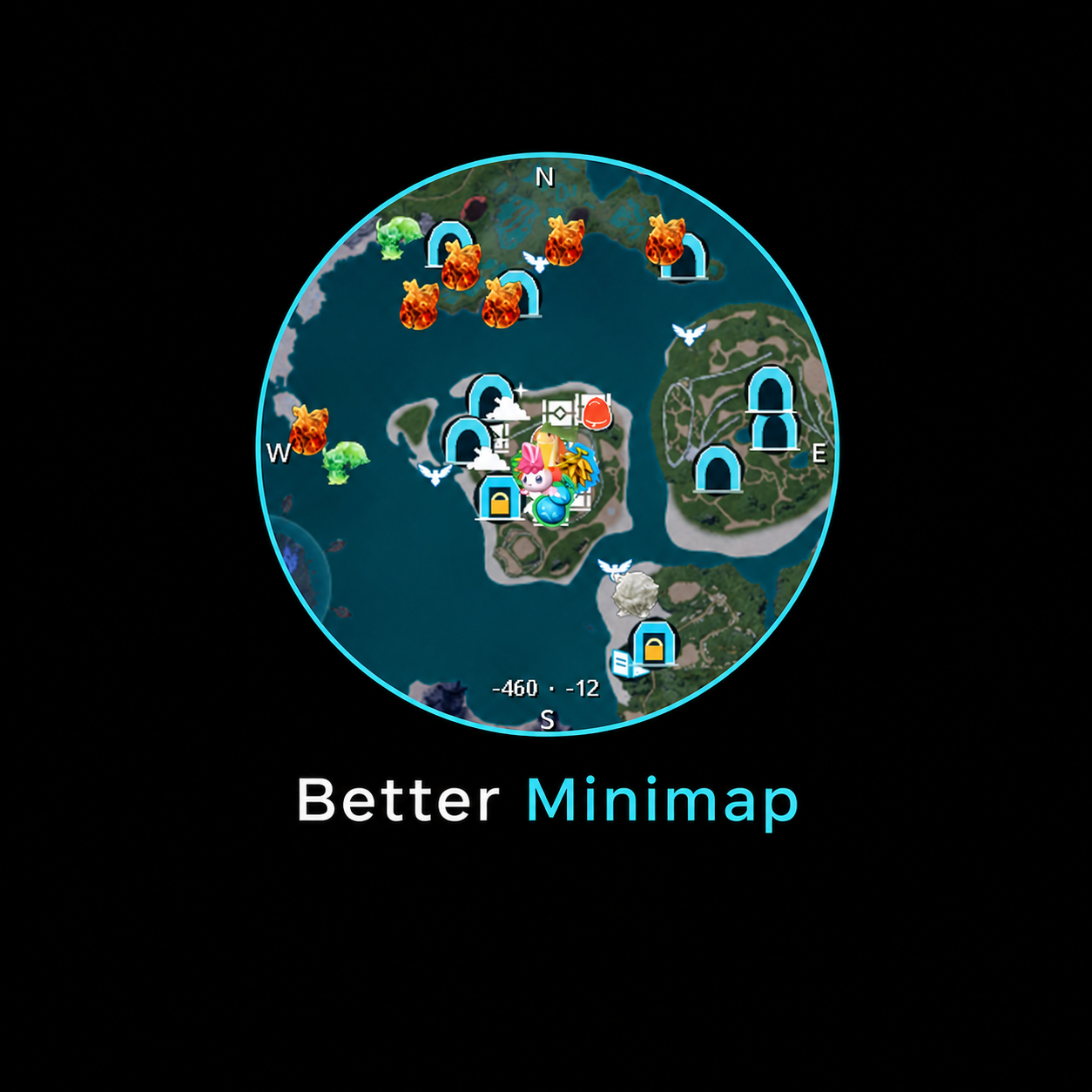
About Better Minimap
From Steam WorkshopBetter Minimap Adds a customisable minimap to Palworld with player position, direction, coordinates, world markers, live Pal tracking and more. Main Features Circular and square minimap layouts…
Better Minimap
Adds a customisable minimap to Palworld with player position, direction, coordinates, world markers, live Pal tracking and more.
Main Features
- Circular and square minimap layouts
- Movable and resizable minimap with automatically saved positioning
- Player position, direction, compass and coordinates
- Individual filters and adjustable icon sizes for all supported marker categories
- Wild Pals, Lucky Pals, boss Pals and hostile NPCs
- Live position tracking with adjustable performance profiles
- Optional grouping of identical Pal species
- Adjustable Pal and enemy scan radius: 50–1,000 m
- Treasure chests with rarity colours and optional key hints
- Separate Elemental Chest icons showing the required element
- Skill Fruit Trees with exact fruits, elements and rarity colours
- Eggs, Pal Effigies, Journals, Dungeons, Fishing Spots, Oil Fields and more
- Pal Effigies use their original Palworld icons and disappear after collection
- Puzzle Towers with distinct unsolved and solved markers
- Custom player-arrow colour and adjustable marker sizes
- Configurable Better Minimap keybinds, including Ctrl, Shift and Alt combinations
- Custom map markers
- Support for all supported Palworld languages
Pal and Enemy Tracking
Wild Pals, Lucky Pals, boss Pals and hostile human NPCs can be displayed within the selected radius. Lucky Pals receive a cyan highlight, shimmer effect and visible star. Hostile NPCs use their Palworld raid or compass portraits when available. Friendly village NPCs, village-owned Pals and your own team or base Pals are excluded. Tracking profiles range from Potato to Ultra. Custom mode allows you to configure:
- Update interval
- Actors processed per tick — higher values increase the processing cost
- Movement threshold
Enable Group to group normal Pals of the same species within a local radius of 100 m. The nearest Pal represents each local group, while separate populations remain separate. Lucky Pals, boss Pals and hostile NPCs are never grouped. Pal positions are updated according to the selected tracking profile and may therefore occasionally appear slightly delayed.
World Markers
- Treasure Chests
- Elemental Chests
- Fishing Spots
- Item Piles
- Eggs
- Pal Effigies
- Puzzle Towers
- Journals
- Skill Fruit Trees
- Dungeons
- Oil Fields
- Custom Map Markers
Treasure chest icons use rarity colours, with key names shown in brackets where useful. Elemental Chests receive a separate white chest icon with a centred lightning, fire or water glyph showing the required element. Opened chests are removed once Palworld reports that they are no longer available. Skill Fruit Trees display their remaining fruits with the correct fruit icons, elements and rarity colours. Pal Effigies use the matching original item icon for each Effigy type. Collected Effigies are removed from the minimap. Puzzle Towers use a cyan tower-and-lock marker while unsolved. Solved towers use a muted marker with a check mark. They have a compact Unsolved/All toggle.
Settings and Keybinds
Open the normal Palworld map with M and use Palworld's standard F filter control to access the Better Minimap settings. The Marker & Display tab contains marker filters, individual marker-size controls, player-arrow customisation, Pal scan radius and live-tracking profiles. The Keybindings tab lets you rebind every Better Minimap action. Ctrl, Shift and Alt combinations such as Ctrl+S are supported. Conflicting assignments and unmodified keys reserved by Palworld are rejected automatically. Default controls
- F5 — Toggle the minimap
- F6 — Zoom out
- F7 — Zoom in
- F8 — Restart Better Minimap and reload its marker snapshots
- F9 — Enter minimap edit mode
- M — Open the Palworld map
In edit mode, move the minimap using drag-and-drop or the arrow keys. Hold Shift for faster movement. Press Tab to switch between the circular and square layouts. Resize the minimap using the mouse wheel or the + / - keys. The minimap position, size and shape are saved automatically. Editor instructions always display the currently assigned keybinds.
Performance
Better Minimap uses bounded workloads and data already loaded by Palworld. Choose a tracking profile suitable for your PC or configure the workload manually using Custom mode. Dynamic markers only appear after Palworld has loaded the relevant area and actors. Reducing the tracking radius, increasing the update interval or enabling Pal grouping can improve performance in busy areas.
Installation
Better Minimap requires UE4SS Experimental for Palworld. Steam Workshop — Recommended [olist] [*]Subscribe to UE4SS Experimental for Palworld. [*]Subscribe to Better Minimap. [*]Start Palworld. [*]Open Options → Mod Management. [*]Set Enable Mod to ON. [*]Enable both UE4SS Experimental and Better Minimap. [*]Save the settings and restart Palworld when prompted. [/olist]
Manual UE4SS / Nexus Mods Use this method if you already use the manually installed version of UE4SS for Nexus mods.
[olist] [*]Install UE4SS Experimental for Palworld into Palworld\Pal\Binaries\Win64\. [*]Subscribe to Better Minimap only and let Steam download it. [*]Copy the Scripts, dlls and assets folders from steamapps\workshop\content\1623730\3776803602\ to Palworld\Pal\Binaries\Win64\ue4ss\Mods\BetterMinimap\. [*]Create an empty file named enabled.txt inside the BetterMinimap folder. [*]Unsubscribe from Better Minimap after copying it. You may stay subscribed to receive future updates, but do not enable Better Minimap in Palworld's Mod Management when using manual UE4SS. [*]Start Palworld. [/olist]
Do not install or enable the manual and Workshop versions of UE4SS at the same time.
Highlights
From source dataFootprint
Rated a light load on a server.
Last update
Its author last shipped an update 2 mo ago.
Better Minimap on Nxeon
From our catalogue- One-click install
- Not available. One-click install isn't available for this game's mods yet. Download it and upload it to your server in Files.
- Server load
- light
- Smallest plan we suggest
- Palworld — 8 GB (8 GB RAM). This follows our own load rating above, not a benchmark.
- Latest build
- 2026-08-23, released 2026-08-23
Game versions by loader
| Loader | Game versions | Newest |
|---|---|---|
| Workshop |
From 1 recorded build of Better Minimap.
Dependencies
- Required: UE4SS Experimental (Palworld)
Declared by the newest build that lists any. Required ones are installed with it on one-click installs.
Run Better Minimap on a Palworld server
Deploy a server above, then upload the file in Files.
What kind of mod it is
From the catalogQuality of life & UI
Small conveniences, tweaks and interface improvements players notice straight away.
Compatibility
- Game
- Palworld
Verified at the source
- ✓Steam WorkshopOfficial listing, checked 2026-11-01Open ↗
- ✓AuthorLuke, as published on Steam Workshop
- ✓LicenseNot published by the sourceFree












