






About Fast Travel Hotkeys
From Steam WorkshopEnables traveling to your bases by pressing the number keys with the fast travel map open. Works in version 1.0. Please let me know if you find any issues though. This just saves you the time of…
Enables traveling to your bases by pressing the number keys with the fast travel map open.
Works in version 1.0. Please let me know if you find any issues though.
This just saves you the time of cycling through your bases. It also doesn't ask for confirmation when you use a hotkey to fast travel.
This mod respects the game's rules for when you are allowed to fast travel, but should be compatible with things like the AlwaysFastTravel mod on Nexus that allow you to fast travel from the normal map.
Usage
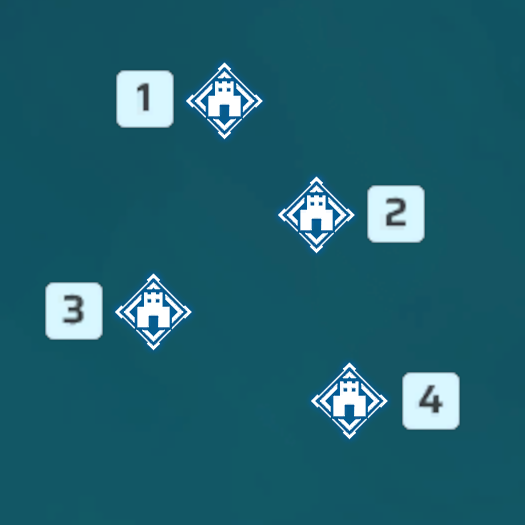
Interact with a fast travel point and then press a number button with the fast travel map open. The numbers are assigned to your bases in order from northmost to southmost on the map.
It is set up so that all the numbers 0-9 work (with 0 being the 10th base), in case you have turned that setting way up.
Sadly I don't render the numbers in game on the map, but the map already gets pretty cluttered.
Important
After you subscribe to the mod, do these steps to enable the mod:
1. Launch the game and wait until you get to the title screen. 2. Go to Options > Mod Management and make sure Enable Mod is set to ON. 3. Make sure the checkboxes next to Fast Travel Hotkeys and UE4SS Experimental (Palworld) are CHECKED 4. Click the blue Save button and the game will now restart. 5. Once the game starts up again, Fast Travel Hotkeys should now be enabled.
Highlights
From source dataFootprint
Rated a light load on a server.
Last update
Its author last shipped an update 9 mo ago.
Fast Travel Hotkeys on Nxeon
From our catalogue- One-click install
- Not available. One-click install isn't available for this game's mods yet. Download it and upload it to your server in Files.
- Server load
- light
- Smallest plan we suggest
- Palworld — 8 GB (8 GB RAM). This follows our own load rating above, not a benchmark.
- Latest build
- 2026-01-30, released 2026-01-30
Game versions by loader
| Loader | Game versions | Newest |
|---|---|---|
| Workshop |
From 1 recorded build of Fast Travel Hotkeys.
Dependencies
- Required: UE4SS Experimental (Palworld)
Declared by the newest build that lists any. Required ones are installed with it on one-click installs.
Run Fast Travel Hotkeys on a Palworld server
Deploy a server above, then upload the file in Files.
What kind of mod it is
From the catalogQuality of life & UI
Small conveniences, tweaks and interface improvements players notice straight away.
Compatibility
- Game
- Palworld
Verified at the source
- ✓Steam WorkshopOfficial listing, checked 2026-11-01Open ↗
- ✓AuthorStephenr, as published on Steam Workshop
- ✓LicenseNot published by the sourceFree












