






About PerfProbe
From Steam WorkshopPerfProbe Palbox search, hidden graphics controls, swappable accessory loadouts, and an optional damage meter — built into Palworld's own UI. Four main features PALBOX INDEX — SEARCH, SORT, CLICK TO…
PerfProbe
Palbox search, hidden graphics controls, swappable accessory loadouts, and an optional damage meter — built into Palworld's own UI.
Four main features
- PALBOX INDEX — SEARCH, SORT, CLICK TO FIND
- Open a Palbox and an optional floating index appears beside it. Search by Pal name, Pal ID, page, passive, partner skill, or move; sort by page, name, stars, IVs, level, or work speed; then click a result to jump the stock Palbox straight to that Pal's page and slot. The panel is draggable and collapsible, includes base-worker markers, and can be cleared or refreshed at any time.
- HIDDEN GRAPHICS CONTROLS
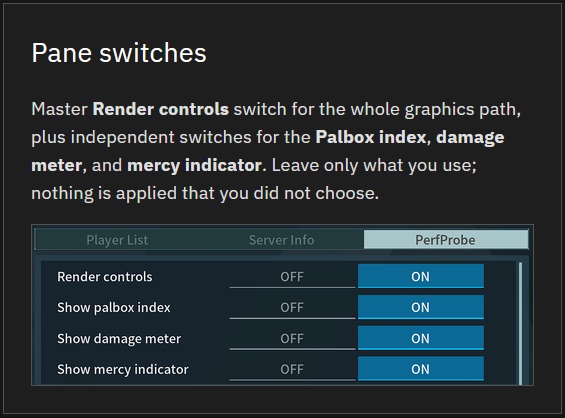
- Tune TSR, FSR2, DLSS where supported, native rendering, and 33–100% render scale. Toggle costly effects such as reflections, Lumen, fog, AO, motion blur, bloom, depth of field, and more; adjust view distance, shadows, foliage, grass, LOD, and filtering. Changes apply live and save locally. A master switch makes PerfProbe leave the entire graphics path alone without disabling its other features.
- TWO ACCESSORY LOADOUTS + MERCY HUD
- Build two four-seat accessory sets from gear you own, then swap between them with a rebindable keyboard or controller hotkey. Use one seat for a Ring of Mercy or flip the whole bar between damage and utility kits. A green/red HUD badge shows whether the mercy effect is actually on you from any source, while one or two white marks show the active set. The badge can be hidden or repositioned from the PerfProbe tab.
- DAMAGE METER — OPTIONAL LIVE DPS
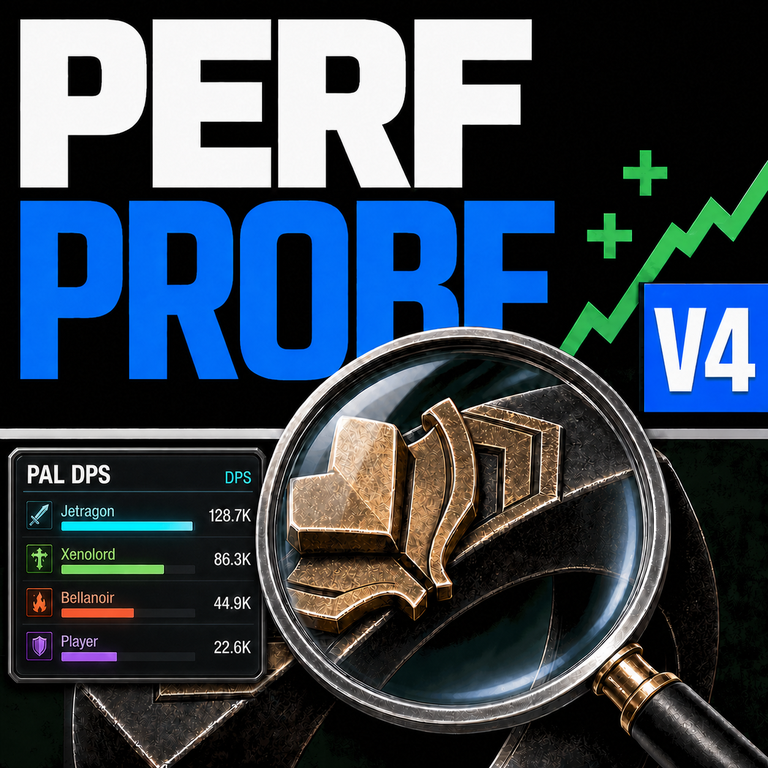
- Enable Show damage meter on the PerfProbe Esc tab. A floating HUD tracks damage from your deployed Pals and from you (Primary Weapon and skills). Browse LIVE per fight, TOTAL across the session, and recent encounters with on-panel controls; drag the title to reposition, collapse to a header, or reset the view. Gun-only fights count without a Pal out. Off by default — turn it on only when you want the readout.
Why I made this
This started as a personal fix: I needed Palworld to run reliably on my son's 5700 XT. I found performance options the game does not expose in its native UI, so PerfProbe began as a way to reach them without digging through config files.
Next came the Ring of Mercy. I wanted to equip it without fumbling through inventory mid-fight — I'm not as fast in menus as I used to be, and losing a Pal I meant to catch is a bad time. That became the loadout swap and the HUD that confirms whether mercy is really active.
As accessory choices grew, a ring-only swap became two complete loadout sets. And then I wanted an easier way to locate my Pals in the Palbox, so the Palbox Index was created: search, sort, and click to find. Then I wanted a more clear way to tell how effective different Pal/Skill combos were.
Everything here grew out of our own family play. It was useful enough to share, and I keep improving it as I get time.
PalKit — companion tools
The same play loop grew into pal-kit.com, a free browser toolkit that does not require the mod:
- Farming Lab — plan crews, recipes, stations, and plots
- Party Builder — build around a Pal you care about
- Pal Index & Skills — stats, work abilities, partner skills, and moves
- Habitat & Dungeon maps — find Pals and portals
The PerfProbe tab also has Export Palbox. It writes a local palbox.json containing your Palbox and deployed base workers for PalKit's browser tools. Nothing is uploaded; imported data stays in your browser. Workshop path: Pal\Saved\PerfProbe\export\palbox.json.
Install and use
[olist] [*]Subscribe to PerfProbe and its required UE4SS Workshop dependency [*]Launch Palworld and enable UE4SS + PerfProbe in Mod Management [*]Press Esc → open the PerfProbe tab; open a Palbox to use the index [/olist]
The Workshop item includes its scripts and companion DLL — nothing else is needed. The PerfProbe pane and Palbox Index are currently mouse-operated; the loadout swap itself can use keyboard or controller.
If you previously used the zip installer, remove that copy so only one instance runs. Do not run the zip and Workshop versions together.
Safety and privacy
PerfProbe does not modify world saves, WorldOption, cloud saves, or Engine.ini. It uses live runtime graphics controls and optional local files for settings, loadouts, keybinds, index cache, and exports. Palbox data stays local. The mod is event-driven, with no always-on object-array scanning.
The mercy HUD works in co-op and dedicated play by reading only your own client-side effect state.
Support (optional)
PerfProbe and PalKit are free. Tips are not required and unlock nothing — they only help with hosting and ongoing work when I have time:
Highlights
From source dataFootprint
Rated a light load on a server.
Last update
Its author last shipped an update 3 mo ago.
PerfProbe on Nxeon
From our catalogue- One-click install
- Not available. One-click install isn't available for this game's mods yet. Download it and upload it to your server in Files.
- Server load
- light
- Smallest plan we suggest
- Palworld — 8 GB (8 GB RAM). This follows our own load rating above, not a benchmark.
- Latest build
- 2026-08-12, released 2026-08-12
Game versions by loader
| Loader | Game versions | Newest |
|---|---|---|
| Workshop |
From 1 recorded build of PerfProbe.
Dependencies
- Required: UE4SS Experimental (Palworld)
Declared by the newest build that lists any. Required ones are installed with it on one-click installs.
Run PerfProbe on a Palworld server
Deploy a server above, then upload the file in Files.
What kind of mod it is
From the catalogQuality of life & UI
Small conveniences, tweaks and interface improvements players notice straight away.
Compatibility
- Game
- Palworld
Verified at the source
- ✓Steam WorkshopOfficial listing, checked 2026-11-01Open ↗
- ✓AuthorGrowkit, as published on Steam Workshop
- ✓LicenseNot published by the sourceFree












