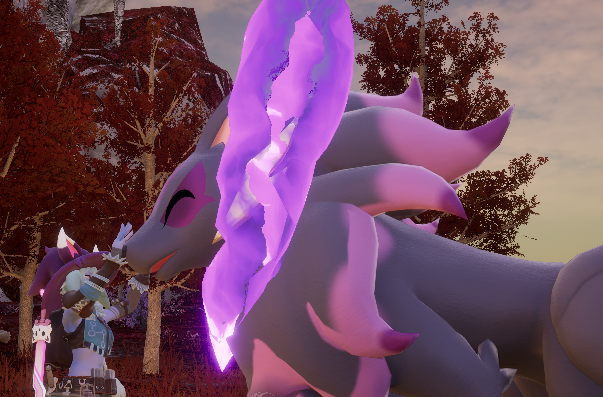
About Unsheathed Katana Mercy Version
From Steam WorkshopI'll try to keep spoilers at minimum: The game includes a Sub Mission called "The Unsheathed Katana". I disliked / disagreed with an aspect of the resolution it forces on you, to the point that…
I'll try to keep spoilers at minimum:
The game includes a Sub Mission called "The Unsheathed Katana". I disliked / disagreed with an aspect of the resolution it forces on you, to the point that creating this mod felt like moral obligation.
If you encounter this mission in-game, and feel like you don't want to go ahead with it the way the game enforces, you can move away to safe place, and exit the game, then install this mod - and it'll give you a bit more agency on the matter.
Or you can simply install it now, it doesn't prevent you from playing the quest fully "as intended". It just changes things so that in this one, single instance, the number zero doesn't really mean it, if you don't want it to.
On single player game install the mod for yourself. On multiplayer game it needs to be installed for host. On dedicated server it needs to be installed on server, with PalModSettings.ini file line: ActiveModList=UnsheathedKatanaMercy (or install manually).
On dedicated windows server it's enough to install it on server, it'll work for every player. I don't know whether having it on host in co-op hosting is enough, probably, but I would install it on clients too.
This mod can be installed in middle of playthrough, and can be removed without leaving any "clutter" behind, it doesn't leave any custom assets into the game. Installing and removing still requires you to restart the server/game.
On first time running modded game/server it creates config.lua file in mod's root directory, with default settings. You can change settings in that file, and they'll persist through any further updates of mod. Any changes come to effect on next restart of game/server.
This mod does have the ability to reset the quest chain if you already complete it, but that feature is disabled by default, more on that below.
Q: Why not enable the quest reset by default? A: It adds extra hooks into game functions, which could lessen compatibility and potentially make the game less stable. since reset is rarely needed, and generally only once, it's an 'opt-in extra' to keep the impact to game minimal
Q: Why complex chat command system for quest reset, why not neat GUI? A: In short: compatibility. I kept LUA interface to minimum possible, so the mod would hopefully remain compatible through game updates unless something very major in the game changes. That way when one day I'm no longer maintaining it, it'll hopefully still keep working for a long time.
--- SOME SPOILERS AHEAD ---
This mod turned out way more complicated than I intended. Changing the effective capture percentage from 0 to 100 was fairly simple. Actually making the captured pal "vanilla compatible" was not as straightforward (the pal at the end of quest chain was never intended to be capturable, and had several glitches initially. The mod changes some values around to make it compatible with what the game expects from caught pals).
Then there's the quest chain reset. The mod kit didn't have anything for that, the quests are intended to be one-and-done. And so the initial 600 lines of code turned into over 2500 lines. But in the end, it seemed to work over some rather grueling stress-testing (stress of server, or stress of user, works either way).
THE QUEST RESETS ARE DISABLED BY DEFAULT. First because I'm still not 100% confident, second becaues it has more potential for abuse (getting quest rewards multiple times - and they are pretty nice) than just capturing a pal. In single player it doesn't matter, on some servers it might... but the slight chance of instability is the more important one. I wouldn't recommend this yet for larger servers, on small private server I wouldn't worry that much (but keep the server backups enabled).
IF YOU WANT TO ENABLE QUEST CHAIN RESETS, change the RESET_LIMIT = 0 into positive number, e.g. RESET_LIMIT = 1 on the main.lua script, line 12. Then fully restart the game, or server. After that, if you have finished the final quest, The Unsheathed Katana, you should be able to reset the quest line, and start it again from the shrine.
To reset the quests, do the following chat commands:
/katanareset /katanareset y
The first one prepares the reset, the second one confirms it and logs you out of the game so the quests can be reset safely. The confirmation needs to be done within 30 seconds of the initial command. Ignore the complaints about "unknown command" or "you are not an admin", they are game's chat system's responses. I tried disabling them, but it made the server unstable, so they have to remain.
If you are slow at typing, you can:
1. press enter to open the chat, type /katanareset (without enter) 2. press ctrl-a to select all and ctrl-c to copy 3. now press enter to send the initial command. - you should get notice about the quest reset, and get asked to confirm 4. press enter again to open the chat 5. press ctrl-v to paste the /katanareset 6. press space bar to add blank, then y, then press enter to send the confrmation. - you should now get logged out of the game, and the quests will reset. You can then log back in (or load the game if in single player).
Less typing and much faster. On server this of course only works if server has installed this mod and enabled the quest resets. On single player game you can reset as many times as you need, on server the number is limited to what the server admin set in the lua script. Once should be enough. The capture works without 'weakening' the quest pal, it's always 100% on that one quest pal.
Highlights
From source dataFootprint
Rated a light load on a server.
Last update
Its author last shipped an update 48d ago.
Unsheathed Katana Mercy Version on Nxeon
From our catalogue- One-click install
- Not available. One-click install isn't available for this game's mods yet. Download it and upload it to your server in Files.
- Server load
- light
- Smallest plan we suggest
- Palworld — 8 GB (8 GB RAM). This follows our own load rating above, not a benchmark.
- Latest build
- 2026-08-29, released 2026-08-29
Game versions by loader
| Loader | Game versions | Newest |
|---|---|---|
| Workshop |
From 1 recorded build of Unsheathed Katana Mercy Version.
Dependencies
- Required: UE4SS Experimental (Palworld)
Declared by the newest build that lists any. Required ones are installed with it on one-click installs.
Run Unsheathed Katana Mercy Version on a Palworld server
Deploy a server above, then upload the file in Files.
What kind of mod it is
From the catalogWorkshop
Its source category doesn’t say more about what it does, so NxLabs lists it under Other.
Compatibility
- Game
- Palworld
Verified at the source
- ✓Steam WorkshopOfficial listing, checked 2026-10-10Open ↗
- ✓AuthorNogitsune, as published on Steam Workshop
- ✓LicenseNot published by the sourceFree