






About RocketFuelLCDApp for Industrial overhaul.
From Steam WorkshopMade by chatgpt. checked by me and one other modder. Runs the Tank % check every 100 ticks and displays a ###% On the LCD 10x less often in re-does the check for new Tanks etc. So if you get damaged…
Made by chatgpt.
checked by me and one other modder.
Runs the Tank % check every 100 ticks and displays a ###% On the LCD 10x less often in re-does the check for new Tanks etc. So if you get damaged or add new Tabks it might take a while to check for them.
Customisable text size and positioning.
Best for corner LCDs imo but works on any that have custom data, including cockpits.
Probably won't work with other mods/apps/scripts that use custom data on the same block (cockpits)
Any advice or help please give it to me. I'm bad at this.
Just select it in the apps section for an LCD/Cockpit
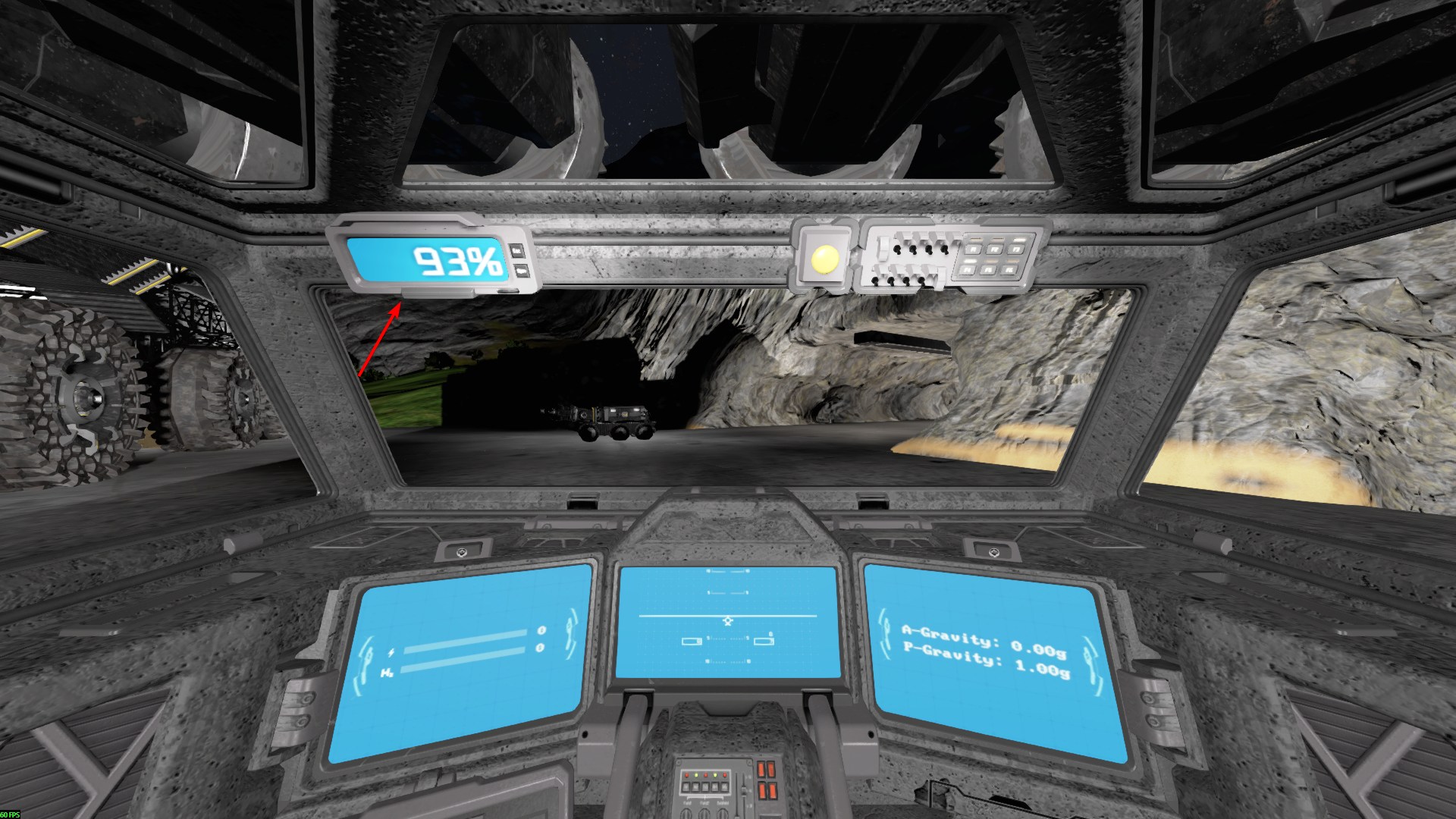
It will populate your custom data with the following: [BatteryLCD] TextSize=3.0 Alignment=Right RightPadding=8 Font=Debug Text={PERCENT}% DecimalPlaces=0 ShowNoBatteries=true NoBatteriesText=N/A
"ShowNoBatteries" is if it will show when you have no batteries. The no batteries text is a choice you can put. The screenshot is these default settings in the cab cockpit. You can change the text colour and background colour in the LCD settings.
Highlights
From source dataFootprint
Rated a light load on a server.
Last update
Its author last shipped an update 4d ago.
RocketFuelLCDApp for Industrial overhaul. on Nxeon
From our catalogue- One-click install
- Not available. One-click install isn't available for this game's mods yet. Download it and upload it to your server in Files.
- Server load
- light
- Smallest plan we suggest
- Space Engineers — 8 GB (8 GB RAM). This follows our own load rating above, not a benchmark.
- Latest build
- 2026-10-31, released 2026-10-31
Game versions by loader
| Loader | Game versions | Newest |
|---|---|---|
| Workshop |
From 1 recorded build of RocketFuelLCDApp for Industrial overhaul..
Dependencies
- Required: Industrial Overhaul - v1.7.7
Declared by the newest build that lists any. Required ones are installed with it on one-click installs.
Run RocketFuelLCDApp for Industrial overhaul. on a Space Engineers server
Deploy a server above, then upload the file in Files.
What kind of mod it is
From the catalogTechnology & automation
Machines, power, logistics and automation.
Compatibility
- Game
- Space Engineers
Verified at the source
- ✓Steam WorkshopOfficial listing, checked 2026-11-03Open ↗
- ✓AuthorJoshuawood, as published on Steam Workshop
- ✓LicenseNot published by the sourceFree












