About Medicine Hotkeys
From Steam WorkshopMedicine Hotkeys Heal yourself or your active Pal instantly — without ever opening your inventory. One keypress grabs the right Recovery Meds from your bag and uses them on the spot, so you can keep…
Medicine Hotkeys
Heal yourself or your active Pal instantly — without ever opening your inventory. One keypress grabs the right Recovery Meds from your bag and uses them on the spot, so you can keep fighting, building, or running.
Client-side mod. You install it; the server does not need it. Works in single-player and when playing on a dedicated server.
Hotkeys
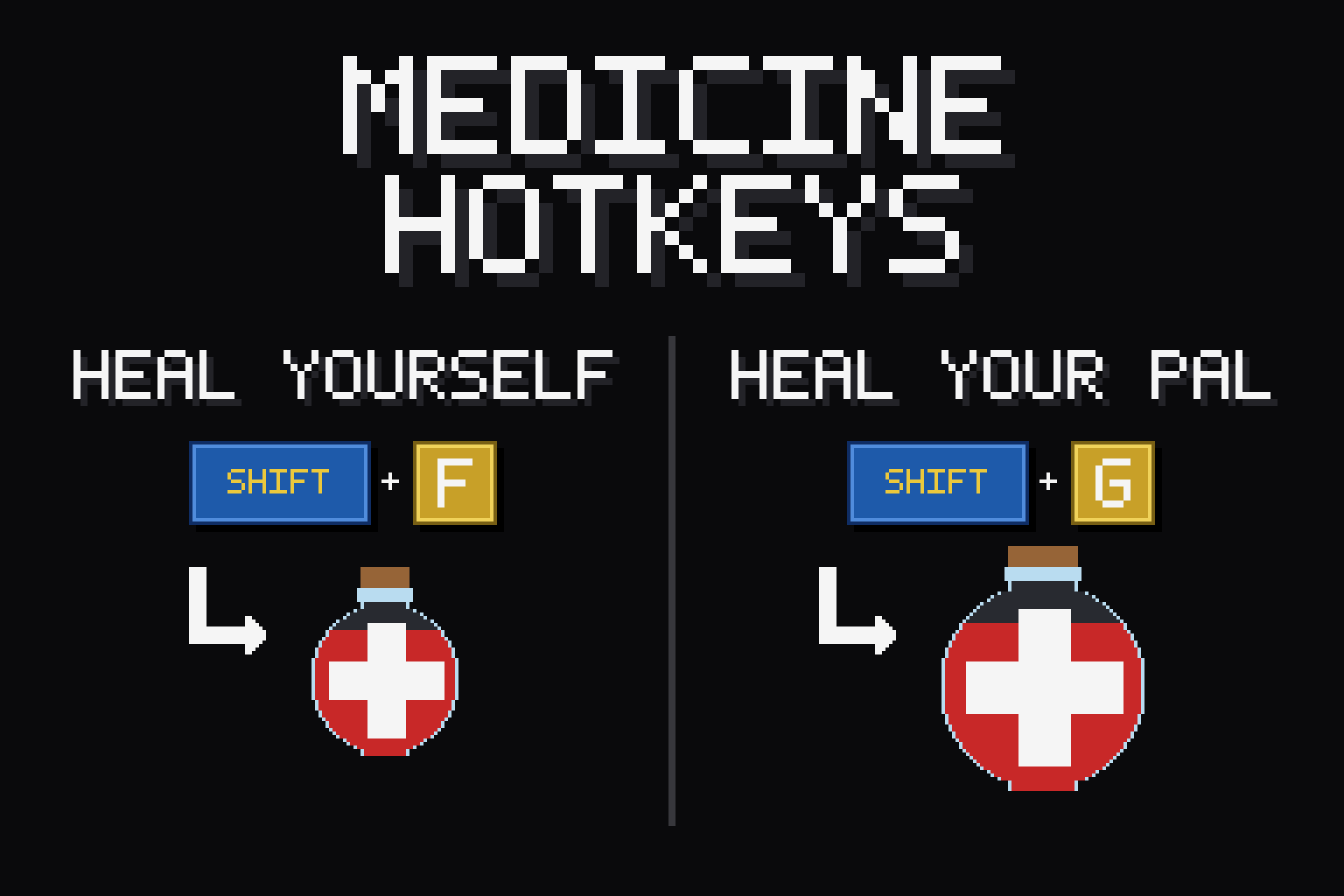
- Shift + G — Heal yourself with your strongest meds
- Shift + F — Heal yourself with your cheapest meds
- Ctrl + G — Heal your active Pal with your strongest meds
- Ctrl + F — Heal your active Pal with your cheapest meds
"Strongest" spends your best meds for a big top-up; "cheapest" burns through low-tier meds first to save the good stuff for emergencies. Don't like the defaults? Re-bind every key in-game — see below.
Features
- Smart tier selection — automatically finds the right med in your inventory (Low → Advanced). No fumbling through menus.
- No waste — does nothing if you're already at full HP, so you never burn a med for nothing.
- On-screen confirmation — every heal is confirmed by a little animated toast from DarnToasts. One shared config styles, positions, or mutes the toasts for every mod that uses it.
- Re-bind in-game — open ESC menu > Mod Options (via DarnMenu), click a hotkey, press the key you want. Modifiers too (Shift/Ctrl/Alt/none). No file editing.
- Survives respawns and updates — keeps working after death, fast travel, and relogging; your settings live in the shared mods folder, so mod updates never reset them.
Compatibility
- Works in single-player and on dedicated servers (runs entirely client-side — no server install needed).
- Requires UE4SS, DarnToasts, and DarnMenu — all installed automatically as dependencies when you subscribe.
How to use
Subscribe, launch the game, and the hotkeys are live. Carry some Recovery Meds and press a key — that's it. No setup required.
If something breaks
Crashes are rare but real, and so is "it just stopped working". A good report usually gets it fixed fast -- past bugs in this mod family were found and fixed precisely because players sent the right files. Start here: [olist] [*]First, update every Darn mod you have -- DarnMenu, DarnToasts and DarnUI as well as the mod itself. These share libraries, and updating one while another stays old is the single most common cause of a mod behaving strangely or not running at all. If that fixes it, you are done. [*]Before you relaunch, copy UE4SS.log from the UE4SS folder the mod is installed under (Steam installs: Palworld\Mods\NativeMods\UE4SS\UE4SS.log). It is overwritten on the next launch, so grab it first -- it usually names the problem outright. [*]If the game CRASHED, grab its own crash record too: the newest folder in %LOCALAPPDATA%\Pal\Saved\Crashes. [*]Include the mod's version: open ESC -> Mod Options -> this mod's page -- the version is shown at the top (needs DarnMenu 1.7.4+; it is also printed near the top of UE4SS.log at every launch). Note whether you play singleplayer or on a dedicated server, what you were doing just before, and your other mods. [*]Zip it up, upload to gofile.io (free, no account needed), and post the link in a comment -- or, if you also use Nexus, file it on the mod's Bugs tab there, which is hardest for me to lose. [/olist]
AI disclosure
Being upfront: these mods are built in collaboration with an AI assistant (Anthropic's Claude). I'm a software engineer — the design and direction are mine, and I take a critical eye to the function of the code, review it, and test it in real play. AI drafts the code and much of the text; it saves me a great deal of time and is honestly what makes creating these mods feasible at all. If AI-assisted work isn't your thing, no hard feelings — you deserve to know before subscribing.
Highlights
From source dataFootprint
Rated a light load on a server.
Last update
Its author last shipped an update 2 mo ago.
Medicine Hotkeys on Nxeon
From our catalogue- One-click install
- Not available. One-click install isn't available for this game's mods yet. Download it and upload it to your server in Files.
- Server load
- light
- Smallest plan we suggest
- Palworld — 8 GB (8 GB RAM). This follows our own load rating above, not a benchmark.
- Latest build
- 2026-08-13, released 2026-08-13
Game versions by loader
| Loader | Game versions | Newest |
|---|---|---|
| Workshop |
From 1 recorded build of Medicine Hotkeys.
Dependencies
- Required: DarnToasts + Panels
- Required: DarnMenu
- Required: UE4SS Experimental (Palworld)
Declared by the newest build that lists any. Required ones are installed with it on one-click installs.
Run Medicine Hotkeys on a Palworld server
Deploy a server above, then upload the file in Files.
What kind of mod it is
From the catalogQuality of life & UI
Small conveniences, tweaks and interface improvements players notice straight away.
Compatibility
- Game
- Palworld
Verified at the source
- ✓Steam WorkshopOfficial listing, checked 2026-10-10Open ↗
- ✓AuthorA New Darn, as published on Steam Workshop
- ✓LicenseNot published by the sourceFree