






About ISL - Aquila-AV 125 Bomber
From Steam WorkshopPurpose An atmospheric bomber that uses a welder, merge blocks and projectors to drop warheads, decoys or both on to enemies directly below. Additionally uses timer blocks to automate welding and…
Purpose
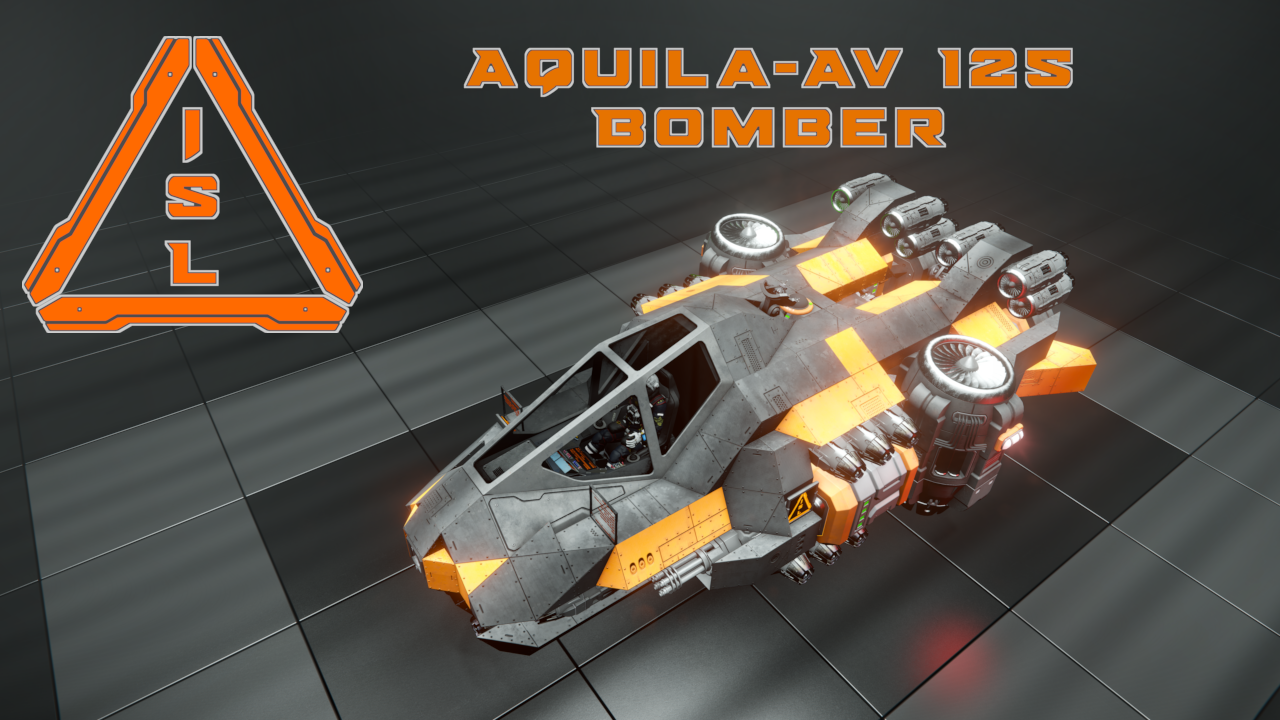
An atmospheric bomber that uses a welder, merge blocks and projectors to drop warheads, decoys or both on to enemies directly below. Additionally uses timer blocks to automate welding and dropping bombs.
The Aquila is basically the same as the decommissioned Thor Bomber which it is replacing, but features some quality of life updates:
- The Welder and connector now have Tags and Custom Data set up for use with Isy Inventory Manager for loading bomb components.
- The LCDs have been updated for better visibility and more information (using Automatic LCDs 2).
- Timer block 1 is now set correctly for x1 welding speed, so if you are playing with a different setting, divide the wait time on Aqi TB 1 by your multiplier and change it.
- [h1]Features[/h1]
- Tools, Scripts & Weapons:
- 1 Welder
- 2 gatling cannons
- Blarg's Fancy Ruler script - for sighting your targets
- PAM script - for easier docking and gravity aligning
- MMaster's Automatic LCD's - to keep track of your welder's inventory
- SAM autopilot script
- Power:
- 5 batteries
- Movement & Control:
- 1 cockpit
- 1 remote Control
- 2 gyroscopes
- 26 small atmospheric thrusters
- 2 large atmospheric thrusters
- Cargo Space
- 1 connector - underside
- 1 welder
- Total payload of 140 warheads and merge blocks (x1 inventory)
- Miscellaneous:
- 5 cameras
- 2 projectors - one for decoy projection, one for warhead projections. Both can be used simultaneously, and the warhead projector doubles as a repair projector.
- 2 timer blocks - for starting a continuous bombardment cycle
- This ship has an empty mass of 42227 kgs, and can move with a full cargo at a maximum tilt of 50 degrees below horizon.
- All Programmable blocks are turned off in this blueprint.
- All ships in this set have a rear mounted Merge block and can be printed using a welder wall with one (large grid) piston.
- [h1]Recommended Bombing Procedure[/h1]
- [olist]
- Fly at an altitude higher than maximum turret range (vanilla is 800m) until you are directly above your target. If the enemy structure is heavily armed, consider adding another few 100m to your altitude, so that the bombs have time to reach maximum velocity before entering turret range.
- Use the PAM script to align with gravity (Toolbar 3, button 5), if needed.
- Use the downward facing Sight Camera to aim at the target Installation/ship, and to check whether your payload connects with the target or if adjustments are necessary for the next salvo.
- If you are uncertain whether the alignment is exact, use the ranging script (Toolbar , button 7) and check the corner LCD on the starboard side of the cockpit, which will give a target range and type.
- Turn on the projector and welder (Toolbar 5, buttons 2 and 6).
- You can automate bombing with the timer blocks, my using the "TB 1 start" button (Toolbar 5, button 4), which will cycle through turning the merge blocks on long enough for the welder to finish constructing the payload, then turn them off for a moment, use Toolbar 5, button 5 to stop the loop. The Timer Block (TB 1) is the length of time it takes the welder to build the bombs on x1 welding speed. If your world has a different multiplier, divide the wait time by that number and change it.
- You may also have more manual control over dropping the payload by leaving the timer blocks off and using the merge blocks "On" and "Off" buttons (Toolbar 5, buttons 8 and 9).
- [/olist]
- [h1]Toolbars[/h1]
- Toolbar 1
- 1. Thrusters All On
- 2. Thrusters All Off
- 3. Thrusters Braking On
- 4. Thrusters Braking Off
- 5. Lights On/Off
- 6. Connector Switch Lock
- 7.
- 8.
- 9.
- Toolbar 2
- 1. Battery Discharge
- 2. Battery Recharge
- 3.
- 4. Camera Front
- 5. Camera Underside Docking
- 6. Gatling Control
- 7.
- 8.
- 9. Antenna Broadcast On/off
- Toolbar 3
- 1. PB [PAM] "up"
- 2. PB [PAM] "down"
- 3. PB [PAM] "apply"
- 4.
- 5. PB [PAM] "Align"
- Toolbar 4
- 1. PB [SAM] "prev"
- 2. PB [SAM] "next"
- 3. PB [SAM] "select"
- 4. PB [SAM] "screen"
- 5.
- 6. PB [SAM] "add"
- 7. PB [SAM] "remove"
- 8. PB [SAM] "start"
- 9. PB [SAM] "stop"
- Toolbar 5
- 1. Projector Decoys On/Off
- 2. Projector Bombs on/Off
- 3. Camera - Sight
- 4. TB 1 Start - starts cycling merge blocks on then off, so that the warheads can be welded up and dropped
- 5. TBs Stop - stops cycling merge blocks on/off
- 6. Welder On/Off
- 7. Blarg's Fancy Ruler "scan"
- 8. Merge Blocks On
- 9. Merge Blocks Off
Highlights
From source dataFootprint
Rated a light load on a server.
Last update
Its author last shipped an update 6 yr ago.
ISL - Aquila-AV 125 Bomber on Nxeon
From our catalogue- One-click install
- Not available. One-click install isn't available for this game's mods yet. Download it and upload it to your server in Files.
- Server load
- light
- Smallest plan we suggest
- Space Engineers — 8 GB (8 GB RAM). This follows our own load rating above, not a benchmark.
- Latest build
- 2020-05-21, released 2020-05-21
Game versions by loader
| Loader | Game versions | Newest |
|---|---|---|
| Workshop |
From 1 recorded build of ISL - Aquila-AV 125 Bomber.
Dependencies
- Required: Automatic LCDs 2
- Required: Blarg's Fancy Ruler
- Required: [PAM] Path Auto Miner | Automated Mining, Grinding and Transportation | by Keks
- Required: SAMv2 - Sam's Autopilot Manager version 2
Declared by the newest build that lists any. Required ones are installed with it on one-click installs.
Run ISL - Aquila-AV 125 Bomber on a Space Engineers server
Deploy a server above, then upload the file in Files.
What kind of mod it is
From the catalogCreatures & NPCs
Adds or changes creatures, NPCs and how they behave.
Compatibility
- Game
- Space Engineers
Verified at the source
- ✓Steam WorkshopOfficial listing, checked 2026-11-01Open ↗
- ✓AuthorSpite, as published on Steam Workshop
- ✓LicenseNot published by the sourceFree












